

That gut-wrenching moment when you realize your phone is missing or your hard drive starts making a clicking sound can be incredibly stressful. After all, many of our most valuable memories exist only in digital form. From birthdays and weddings to everyday family moments, photos capture important parts of our lives.
Unfortunately, losing those images can mean losing irreplaceable memories and personal history. Therefore, protecting your photos should be a priority rather than an afterthought.
This is exactly where a smart cloud backup for photos strategy becomes essential. Instead of simply providing extra storage space, cloud backup solutions help preserve, secure, and organize your photo collection. Furthermore, they ensure your memories remain accessible even if your device is lost, damaged, or stolen.
As a result, you gain greater protection, improved accessibility, and long-term peace of mind. Ultimately, cloud photo backups allow you to focus on creating new memories instead of worrying about losing old ones.
Your Guide to Never Losing a Photo Again
Think of it this way: keeping all your photos on a single phone and one external hard drive is like placing all your valuable possessions in one basket. If that basket is dropped, damaged, or lost, everything could disappear in an instant. Consequently, relying on a single storage location creates unnecessary risk.
On the other hand, a cloud backup service provides multiple layers of protection. Instead of storing your memories in just one place, it creates secure copies in protected offsite locations. Furthermore, these backups remain available even if your original device is lost, stolen, or damaged.
As a result, your photos stay safe and accessible when you need them most. Moreover, cloud backup solutions help protect against hardware failures, accidental deletion, and unexpected disasters.
This simple change in mindset can make a significant difference. Ultimately, it shifts you from a position of constant risk to one of greater security, confidence, and long-term resilience.
Why Photo Backup Is a Modern Necessity
It’s not just about accidental deletion anymore. The real-world risks to our digital memories are more varied and significant than ever, which is why having a proactive backup plan has become essential.
- Device Failure or Loss: Phones get dropped, stolen, or just die without warning. Laptops and external hard drives have a limited lifespan and can fail at the worst possible moment.
- Physical Disasters: A fire, flood, or even a simple theft can wipe out every local copy of your photos in an instant.
- Digital Threats: Ransomware attacks, which lock up your files until you pay a fee, are on the rise. A clean, offsite backup is often the only way to recover your photos without giving in to the attackers.
The growing reliance on these services is reflected in the market itself. In the United States alone, the cloud backup market recently generated over $1.5 billion and is projected to exceed $4.7 billion by 2030. This highlights a clear trend toward entrusting our digital lives to secure cloud solutions. You can explore more data on this market growth at Grandview Research.
Ultimately, adopting a cloud backup for photos system is about taking control. It’s your insurance policy against the unexpected, ensuring that no matter what happens to your devices, your visual history remains intact, accessible, and safe.
To make the value crystal clear, let’s break down the primary advantages.
Core Benefits of Cloud Backup for Your Photos
This table offers a quick snapshot of why moving your photos to the cloud is such a powerful strategy for protecting them long-term.
| Benefit | Description |
|---|---|
| Disaster Recovery | Your photos are safe from local events like fire, theft, or hardware failure because they are stored in secure data centers far away. |
| Accessibility | Access your entire photo library from any device, anywhere in the world, as long as you have an internet connection. |
| Automated Protection | Many services offer “set it and forget it” functionality, automatically backing up new photos as you take them without any manual effort. |
| Security | Reputable services use strong encryption to protect your files both while they’re being uploaded and while they’re stored on their servers. |
| Frees Up Device Space | Once your photos are safely in the cloud, you can free up valuable storage space on your phone or computer. |
Each of these benefits works together to create a safety net for your most cherished memories, turning what was once a source of anxiety into a source of confidence.
How Photo Cloud Backup Really Works

To really trust putting your life’s photos in the cloud, you need to pull back the curtain and see how the machinery works. It’s not just about dragging files into an online folder. It’s a highly engineered process designed for one thing: keeping your memories safe.
Think of it this way: an external hard drive is similar to a home safe. While it provides valuable protection, it may not survive a fire, flood, theft, or other disaster. Consequently, relying on a single backup location can leave your memories vulnerable.
On the other hand, cloud backup for photos works more like storing a perfect copy of your valuables in a highly secure bank vault located in another city. Therefore, even if something happens to your home or device, your photo collection remains protected and accessible.
Furthermore, this “digital vault” operates using a simple yet powerful process. Instead of merely uploading files, the system automatically scans, encrypts, and stores your photos across multiple secure locations. As a result, your memories receive additional layers of protection against loss, damage, and unauthorized access.
To better understand how this works, let’s look at what happens the moment you enable photo backup on your phone. Ultimately, understanding this process helps you appreciate the security and reliability that modern cloud backup solutions provide.
The Journey from Your Device to the Cloud
Once you turn on a cloud backup service, it kicks off a quiet, automatic process that runs in the background. It’s not a one-and-done deal; it’s a constant guard standing watch over your new photos.
- Scanning and Identification: First, the software on your phone or computer keeps an eye on your camera roll or designated photo folders. The second you snap a new picture, it knows.
- Encryption for Transit: Before that photo ever leaves your device, it gets scrambled using powerful encryption. Think of it like sealing your photo inside a digital armored car. Even if someone could intercept it on its way across the internet, the file would be unreadable gibberish.
- Secure Transmission: The encrypted file is then sent over the internet to the company’s data centers using secure protocols like TLS—the same technology that protects your credit card details when you shop online.
A professional photographer I know lives by the 3-2-1 rule: three copies of every photo, on two different types of media, with one copy stored off-site. For them, that off-site copy is always the cloud. It’s the gold standard for protecting work you can never create again.
This initial journey ensures your private memories are never exposed as they travel from your device to the secure servers of your provider. If you want to dig deeper into the system, you can learn more about the advantages of personal cloud storage and how it locks down your digital life.
Life Inside the Digital Vault
Once your photos arrive safely, their protection gets even stronger. A good cloud service doesn’t just toss them all into one big digital basket.
They’re stored in massive, highly secure facilities called data centers. These aren’t just office buildings with a bunch of computers; they are fortresses built with backup power, redundant cooling systems, and multiple layers of physical security.
More importantly, your files are protected by a concept called redundancy.
- Data Replication: Your photos aren’t just sitting on one server. They’re duplicated across several different hard drives, and often across multiple data centers in entirely different states or countries.
- Protection from Failure: This means if a hard drive dies, a server catches fire, or an entire data center loses power, your photos are still perfectly safe and accessible from another location. It’s how these services can promise that your files will still be there years from now.
The Role of Encryption at Rest
Finally, while your photos are stored on cloud servers, they remain fully encrypted. In other words, your files stay protected even when they are not being accessed. This process is often called “encryption at rest.”
Think of it as moving your valuables from an armored vehicle into a highly secure bank vault. Furthermore, the vault remains locked and protected around the clock. As a result, your data stays secure even after it reaches its storage destination.
Moreover, encryption at rest provides an additional layer of protection against unauthorized access. Consequently, even in the extremely unlikely event that someone physically stole a server from a data center, the information stored on it would remain unreadable without the correct encryption keys.
This entire process works together to protect your memories. First, the system scans your files. Next, it encrypts them before transmission. Then, it transfers the data through secure connections and stores multiple encrypted copies in separate locations. Therefore, cloud backup for photos delivers strong protection against data loss, hardware failures, cyber threats, and accidental deletion.
Ultimately, these overlapping security measures make cloud photo backup highly reliable. As a result, you can enjoy greater peace of mind knowing your memories remain protected from almost any unexpected event.
Essential Features Your Photo Backup Service Must Have
When searching for a cloud backup solution for photos, many people focus only on storage space. However, a reliable backup service offers much more than a place to store files. Instead, it provides the tools needed to protect, organize, and access your memories whenever you need them.
Furthermore, the difference between a basic online folder and a true backup solution lies in the features designed to keep your data safe. As a result, the right platform can help prevent data loss while making photo management much easier.
Not all cloud backup services offer the same level of protection and convenience. Therefore, it is important to evaluate the features that matter most before making a decision. For example, automatic backups, strong encryption, file recovery options, and cross-device access can significantly improve your experience.
Ultimately, the best cloud backup solutions do more than store photos. They provide security, accessibility, and peace of mind. In the following sections, we’ll explore the essential features that separate exceptional backup services from ordinary storage platforms.
Automatic and Background Syncing
The most important feature of any personal photo backup solution is automatic background syncing. After all, a backup system that depends on manual uploads can easily leave your newest photos unprotected. Therefore, automation plays a crucial role in protecting your memories.
Imagine a service that works like a silent and reliable assistant. As soon as you take a photo, the system identifies it, encrypts it, and securely transfers it to the cloud. Furthermore, it completes this process automatically without requiring any action from you.
As a result, your photos remain protected from the moment you capture them. This “set it and forget it” approach creates a reliable backup strategy that continuously safeguards your memories. In addition, automatic syncing reduces the risk of forgetting to back up important files.
The visual below illustrates this simple yet powerful process. Specifically, it shows how photos move from your device to secure cloud storage through an automated and protected workflow. Ultimately, this combination of automation and security provides greater convenience and long-term peace of mind.
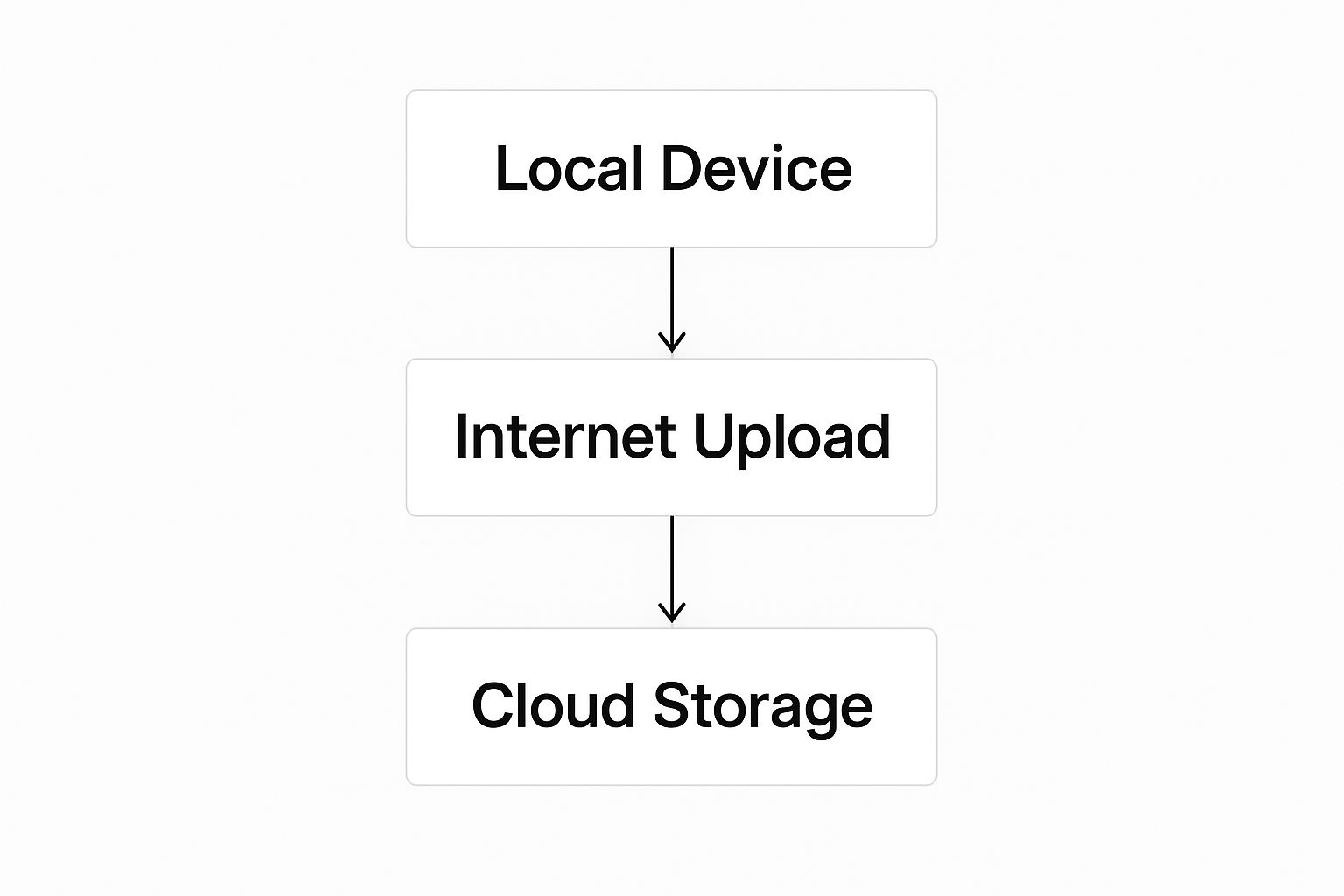
This process creates an essential offsite copy, which is what saves your photos from local device disasters like theft, failure, or accidental drops.
File Versioning and Recovery
Have you ever tweaked a photo, hit save, and then immediately wished you could go back to the original? That’s where file versioning, sometimes called revision history, becomes an absolute lifesaver.
Think of it as a time machine for your entire photo library. A good backup service saves multiple versions of your files whenever a change is made. If you accidentally apply a filter you end up hating or make a cropping mistake, you can just roll back to a previous version of that photo from a specific date. This feature provides an incredible safety net, protecting your memories not just from being lost, but from your own editing mishaps.
File versioning is essential for professional photographers who spend hours editing wedding albums. It lets them experiment with different styles, knowing they can always revert to an earlier state without losing any work.
Intelligent Search and Organization
Once your photo library swells into the thousands, finding one specific picture can feel like searching for a needle in a digital haystack. This is where AI-powered search transforms a simple storage vault into a living, breathing library you can actually use.
The best services use artificial intelligence to analyze your photos and tag them automatically based on their content. That means you can search for “dog on a beach” or “sunset over mountains,” and the service will instantly pull up the right images—even if you never manually added those keywords yourself.
These smart organizational tools can save you countless hours and help you stumble upon memories you completely forgot you had. The demand for such powerful features is a key reason the global cloud backup market, recently valued at USD 5.15 billion, is projected to hit USD 22.08 billion by 2033. You can read the full analysis on the drivers of the cloud backup market from IMARC Group.
Before we dive into the next feature, it’s worth noting that different platforms approach these features with different philosophies. Some integrate tightly into an ecosystem, while others focus purely on backup.
Comparing Different Cloud Backup Philosophies
This table helps illustrate the two main approaches. One isn’t inherently better than the other; the right choice depends entirely on what you value most—convenience within a single brand’s world or the robust, no-frills security of a dedicated service.
| Feature | Integrated Ecosystems (e.g., iCloud, Google Photos) | Dedicated Backup Services (e.g., Backblaze) |
|---|---|---|
| Primary Goal | Seamless experience across devices (syncing, sharing, editing). | Pure, secure, and complete backup of all specified files. |
| File Handling | Often manages an “optimized” library; may not be a 1:1 copy. | Creates an exact, bit-for-bit copy of your original files. |
| Recovery Options | Good for individual file recovery and device restoration. | Excellent for full-system restores and recovering from disasters. |
| Simplicity vs Control | Very simple and automated; less user control. | More granular control over what gets backed up and when. |
Ultimately, understanding this distinction is key. If you live and breathe in Apple’s world, iCloud’s seamless integration is fantastic. But if your main goal is an ironclad, unchangeable archive of your life’s photos, a dedicated backup service might be a better fit.
Secure and Controlled Sharing
Sharing photos with family and friends is a huge part of why we take them, but you absolutely need to stay in control of who sees your private moments. A robust cloud backup service must give you flexible and secure sharing options.
Look for these essential sharing controls:
- Password Protection: The ability to slap a password onto any shared link or album is non-negotiable. It ensures only the people you trust can view your files.
- Link Expiration Dates: I always set links to automatically expire. This prevents indefinite access and stops old links from becoming a security risk down the road.
- Download Permissions: You should be able to choose whether people can simply view the photos online or if they’re allowed to download the full-resolution files to their own devices.
These features are critical for keeping your private life private. For anyone sharing sensitive work files, these same principles apply. We cover this topic in much more detail in our guide on how to achieve a secure online file transfer.
Securing Your Photos in the Cloud

Handing over your most personal memories to a cloud service requires a serious amount of trust. When you choose a cloud backup for photos, you aren’t just buying storage space—you’re investing in a digital vault for your life’s story. Understanding exactly how that vault works is what moves you from feeling anxious to feeling confident.
So, let’s break down the often-confusing world of cloud security into simple, practical terms. We’ll look at how your photos are protected on their journey to the cloud and while they sit on a server, so you can be sure your precious moments stay private and safe.
The Digital Armored Car and Vault
Think about moving priceless valuables to a bank. You need security during the trip and security once they arrive at the vault. Cloud security works the same way, protecting your photos in two critical phases.
- Encryption In-Transit: This is like sealing your photos inside a digital armored car before they even leave your device. It uses protocols like SSL/TLS to create a secure, private tunnel between your computer and the cloud servers, making your data an unreadable jumble to anyone who might try to intercept it online.
- Encryption At-Rest: Once your photos arrive, they are locked away in a digital vault. This means the files themselves are scrambled using powerful encryption standards like AES-256, ensuring that even if someone physically broke into the data center and stole a hard drive, the files would be completely meaningless without the secret key.
This two-pronged approach is the bedrock of modern cloud security, protecting your files at every single stage of the backup process.
The Gold Standard: Zero-Knowledge Encryption
For the ultimate level of privacy, some services offer a feature called zero-knowledge encryption, which you might also hear called end-to-end encryption. Honestly, this is the highest form of security you can get for your files.
Imagine you’re sending a package in a locked box, and you are the only person in the entire world who has the key. The delivery company can transport the box, but they have absolutely no way to see what’s inside. That’s exactly how zero-knowledge encryption works.
With zero-knowledge, the cloud provider cannot decrypt your photos, even if they were legally compelled to by a court order. Only you, with your unique password or encryption key, can unlock and view your files. This provides a truly unparalleled layer of privacy.
This method guarantees that you are in complete and total control of your data’s privacy. No employees, hackers, or government agencies can get to your unencrypted files through the service provider.
Your Role in Securing Your Account
While a good service provides the vault, you’re still in charge of guarding the key to your own account. The strongest encryption in the world won’t do a thing if a thief manages to steal your password. Your personal security habits are just as important as the provider’s.
The single most crucial step you can take is enabling Two-Factor Authentication (2FA). Think of it as needing two separate keys to open a door instead of just one. Even if someone steals your password (the first key), they still can’t get in without the second key—usually a temporary code sent to your phone.
Here are a few other essential practices to adopt:
- Use a Strong, Unique Password: Avoid common words, and never reuse passwords across different services. A password manager is a great tool for creating and storing complex passwords securely.
- Be Wary of Phishing: Never, ever click on suspicious links in emails claiming to be from your cloud provider. Always log in directly through the official website or app.
These personal security measures aren’t just suggestions; they are vital for keeping control over your digital life. The same security principles that protect your photos are also critical when you need to send work files, a topic we explore in our guide to secure document sharing. By combining a provider’s strong security with your own vigilance, you create a formidable defense for your memories.
Choosing the Right Cloud Backup Solution
Making the final call on a cloud backup for photos can feel like a huge decision, but it really just boils down to answering a few honest questions about your digital life. The best service isn’t the one with the most features packed in; it’s the one that fits your habits, your devices, and your budget so perfectly that you never have to think about it again.
Think of it like choosing a car. A flashy sports car is a thrill, but it’s completely impractical for a family of five. In the same way, a professional-grade, high-security backup system might be total overkill for someone who just wants to save their iPhone pictures. Let’s build a simple framework to guide your choice.
Start with a Personal Tech Audit
Before you even glance at a pricing page, take a moment to size up your own situation. Your answers here will instantly filter out the noise and point you toward the right kind of service.
Ask yourself these questions:
- What devices do I use? Is your home an Apple sanctuary filled with iPhones, iPads, and Macs? Or is it a mix-and-match world of Android phones and Windows PCs? Brand loyalty can be a powerful tiebreaker.
- What kind of photos am I saving? Are you mostly backing up smartphone snapshots and family vacation albums? Or are you a serious hobbyist or professional photographer shooting massive RAW files that need to be kept in pristine condition?
- What is my real budget? Be honest about what you’re willing to spend each month or year for this peace of mind. Prices can range from a few bucks a month to significantly more for advanced features and tons of storage.
Your answers will naturally lead you toward one of two main camps: integrated ecosystem platforms or dedicated backup specialists.
The Two Main Philosophies of Photo Backup
Nearly every service you’ll find falls into one of two categories, and each one has its own clear strengths. Getting this distinction is the most important step in making a smart decision.
1. Integrated Ecosystem Platforms (e.g., iCloud Photos, Google Photos)
These services are built for one thing above all else: convenience. They are woven directly into the operating systems of the devices you already own, making the entire backup process feel completely invisible.
- Pros: The experience is incredibly seamless and automatic. Photos sync effortlessly across all your devices, and cool features like shared albums and AI-powered search are often the best you can get.
- Cons: They’re designed to keep you happily inside a specific company’s world (Apple or Google). Plus, their main goal is often photo management and syncing, not necessarily pure, uncompromised backup. Some settings will even compress your photos to save space, which is an absolute deal-breaker for serious photographers.
2. Dedicated Backup Specialists (e.g., Backblaze, IDrive, Digital Fusion Hub)
These services have a single, focused mission: to create a perfect, secure, and independent copy of your data. Think of them as the digital version of a high-security, fireproof vault located somewhere safe.
- Pros: They put true backup first, creating an exact, bit-for-bit copy of your original files with zero loss in quality. They usually offer stronger security features and are platform-agnostic, meaning they work just as well across Windows, Mac, iOS, and Android.
- Cons: While still very easy to use, they might require a bit more initial setup than an integrated option. Their focus is purely on backup and recovery, so they might not have the slick photo-browsing and AI organization features you’d find in Google Photos.
This distinction is critical because it mirrors a larger trend. The entire cloud industry is seeing incredible growth, with global public cloud spending projected to hit around $723.4 billion. This massive investment fuels both the user-friendly integrated platforms and the security-focused dedicated services. You can read more about the state of cloud spending from CloudZero.
Ultimately, your choice comes down to what you value most. If you prize absolute convenience and live comfortably within one ecosystem, an integrated platform is a fantastic choice. If your top priority is the most secure, uncompromised, and independent copy of your photos, a dedicated specialist is the only way to go. This is especially true for small businesses that need reliable archives, a topic we cover in our guide to cloud storage for small business.
No matter which path you choose, making an active decision is the most important step you can take to protect your memories forever.
Your Guide to Managing Photo Backups
Choosing your service is the first big step, but real cloud backup for photos is a living process, not a one-and-done task. Your job isn’t finished after that first upload. Building an archive that will last for decades requires a few smart habits. These simple strategies are what ensure your photo library stays organized, secure, and ready whenever you need it.
The bedrock of any serious backup plan is the 3-2-1 rule. It’s a simple but incredibly powerful framework used by everyone from professional wedding photographers to IT experts to make sure their data survives anything.
The 3-2-1 Rule: Keep three total copies of your important data, on two different kinds of media, with at least one of those copies stored offsite.
Your new cloud backup service perfectly handles the “one offsite copy” part, keeping your photos safe from local disasters like fire, flood, or theft. Your phone or computer is your first copy, and a simple external hard drive can serve as your second local media type. This setup creates a tough safety net that protects you from almost any single point of failure.
Keep Your Digital House in Order
A backup system is only as useful as the organization you bring to it. Just dumping thousands of files with names like IMG_8472.JPG into the cloud creates a digital junk drawer that’s impossible to sort through later. A little bit of effort upfront will save you from a massive headache down the road.
Before you start backing up, get a simple organizational system in place.
- Consistent Folder Structure: I’ve found the best way is to create folders by year, then break them down by month or event. Think “2024,” and inside that, “2024-07 Beach Vacation.” This makes finding specific memories a breeze.
- Rename Your Files: While not always essential, renaming photos in batches (like “BeachVacation-001.jpg”) adds another layer of searchable clarity.
- Cull the Duds First: Get rid of blurry shots, duplicates, and test photos before they ever get uploaded. This saves you a ton of storage space and keeps your archive filled with only the good stuff.
This kind of proactive organization turns your backup from a messy data dump into a browsable, enjoyable archive of your life’s best moments.
Test, Monitor, and Maintain Your Backup
A backup you never test is really just a prayer. You need to know for sure that you can get your files back when disaster strikes. Every so often, try restoring a few photos or a single folder to make sure everything is working as it should.
At the same time, keep an eye on your storage usage. Check your account dashboard periodically so you don’t get hit with surprise overage fees or, even worse, find out your backup stopped because you ran out of space. And if you ever decide to switch providers, having an organized library makes that migration process much, much smoother.
Finally, remember that sharing your memories is part of the joy. When you share albums or individual photos, always use a service that gives you strong controls. It’s worth taking the time to learn about the best practices for encrypted file sharing to ensure your private moments only go to the people you intend. By actively managing your backup, you guarantee it remains a reliable vault for years to come.
Common Questions About Photo Cloud Backup
Even with a solid plan, a few practical questions always pop up when you’re about to choose a cloud backup for photos. I’ve heard them all over the years. This quick rundown tackles the most common ones to give you clear, straightforward answers so you can move forward with confidence.
What Happens if I Stop Paying for My Photo Backup?
Let’s be clear: your photos won’t vanish overnight if your subscription lapses. Most services give you a grace period, usually around 30 days, where they hold your data but stop any new backups. After that, though, they’ll likely start deleting your files permanently to clear out server space.
It is absolutely critical to download all your photos and data before you cancel a subscription or let it expire. Treat this as a non-negotiable step to avoid accidentally losing memories forever.
Is Cloud Backup Better Than an External Hard Drive?
This isn’t an either/or question; they play different but equally vital roles in a smart backup strategy. Think of an external hard drive as your fantastic local copy—it’s fast, and you don’t need an internet connection to get to your photos. The catch? It’s just as vulnerable to local disasters like theft, fire, or simple hardware failure as your computer is.
The cloud gives you that essential offsite copy, protecting you from all those local threats. The absolute best practice is to use both. This perfectly fulfills the classic 3-2-1 backup rule and gives you ultimate peace of mind.
Does Cloud Backup Reduce My Photo Quality?
This is a huge point of confusion, and the answer comes down to one key distinction. A true backup service saves an exact, bit-for-bit copy of your original file. There is zero quality loss. It’s a perfect clone.
However, some photo storage platforms, like Google Photos on its “Storage saver” setting, will compress your images and videos to save space. If keeping the original, full-resolution quality is your main goal, you have to make sure the service you pick is a genuine backup solution that saves your files exactly as they are.
Can I Access My Photos if I Lose Internet Access?
If your photos are only in the cloud, you can’t get to them without an internet connection. It’s as simple as that. This is another reason why that hybrid approach—using both the cloud and a local drive—is so effective.
By keeping your absolute favorites or most recent albums on your computer or an external hard drive, you guarantee you can always get to your key memories, even when you’re completely offline.
Ready to secure your photos with a solution that offers both powerful backup and flexible sharing? Digital Fusion Hub provides up to 5TB of storage with advanced AES-256 encryption, password-protected links, and support for massive file sizes, ensuring your memories are safe and accessible on your terms. Start protecting your photos today.