
The Critical Role of Access Control in Secure File Sharing
In the Australian business landscape, remote work and digital collaboration are no longer emerging trends but fundamental components of daily operations. The widespread adoption of platforms like Microsoft Teams, Slack, and various cloud drives has made sharing information across distances seamless. However, this convenience has also exposed businesses to significant security vulnerabilities. The core challenge is not merely technical, it represents a fundamental business risk that demands a strategic response. This is where effective access control in secure file sharing becomes an indispensable part of a modern security posture.
Access control is the strategic policy and technical framework that ensures the right individuals have the appropriate level of access to the correct information, precisely when they need it. It moves beyond simple password protection to create a structured and enforceable security environment. Think of it like the security system in a modern office building. A single keycard does not grant universal access. Instead, it is programmed to open the main entrance, specific floors, and only the rooms relevant to the holder’s role, such as the marketing department or the server room.
This same principle applies to your digital assets. An effective access control strategy prevents a junior graphic designer from viewing sensitive payroll files and stops an external contractor from accessing confidential client data unrelated to their project. It is about creating deliberate, intelligent boundaries around your information to protect its integrity and confidentiality. A comprehensive security framework, built from a suite of integrated digital services, is essential for implementing this level of control.
To build this framework, businesses must focus on three foundational pillars. The first is identity verification, or authentication, which confirms that users are who they claim to be. The second is permission levels, known as authorisation, which dictates what an authenticated user is allowed to do with the data. The final pillar is activity monitoring, or auditing, which provides a complete record of all access events. Together, these pillars form a robust defence against both external threats and internal risks, ensuring your data remains secure without hindering productivity.
The Business Risks of Uncontrolled File Sharing

Failing to implement robust access controls is not a minor oversight, it is a direct invitation to significant business risks. For Australian companies, the consequences of uncontrolled file sharing extend far beyond a simple data leak, impacting finances, reputation, and legal standing. Understanding these threats is the first step toward building a resilient security strategy.
Financial and Reputational Damage
A data breach results in immediate and often severe financial costs. These include regulatory fines, legal fees, and the expenses associated with incident response and system remediation. However, the intangible costs can be even more damaging. When customers learn their sensitive information has been compromised, trust erodes almost instantly. This loss of confidence can lead to customer churn, negative press, and a tarnished brand reputation that may take years to rebuild, if it can be rebuilt at all.
Navigating Australian Compliance Obligations
In Australia, data protection is a legal mandate, not a business choice. The Privacy Act 1988 and its Notifiable Data Breaches (NDB) scheme impose strict obligations on businesses to protect personal information. If a breach occurs that is likely to result in serious harm, you are legally required to notify both the affected individuals and the Office of the Australian Information Commissioner (OAIC). Failure to comply can result in substantial penalties. Proper secure file sharing for business Australia is therefore a critical component of meeting these legal duties and demonstrating due diligence.
The Threat of Intellectual Property Theft
For many businesses, their most valuable asset is their intellectual property (IP). This could be a unique product design, a proprietary software algorithm, a confidential client list, or a meticulously planned marketing strategy. Without proper access controls, this sensitive IP is vulnerable to theft. A competitor gaining access to your upcoming campaign plans or a disgruntled employee walking away with your entire customer database can cause irreparable harm to your competitive advantage and future revenue streams.
Mitigating Internal Threats: Accidental and Malicious
Not all threats come from external hackers. A significant portion of data breaches originate from within an organisation. These internal threats can be accidental, such as an employee unintentionally sharing a folder containing sensitive payroll information with the entire company. They can also be malicious, like a former employee who retains access and decides to leak confidential data. As highlighted by security experts, established protocols are vital. According to TechTarget, implementing file sharing best practices is key to secure collaboration. Robust access control mitigates both scenarios by ensuring employees can only see and interact with the data explicitly required for their roles, dramatically reducing the surface area for both mistakes and misconduct.
Foundational Pillars of Access Control
Effective access control is not a single feature but a system built upon three distinct yet interconnected pillars. Understanding how authentication, authorisation, and auditing work together provides the theoretical framework for building a truly secure file sharing environment. This structure ensures that every interaction with your data is verified, controlled, and recorded.
Authentication: Verifying User Identity
Authentication is the first gatekeeper in any secure system. Its sole purpose is to verify that users are who they claim to be before granting them any access. For decades, this process relied almost exclusively on a username and password combination. However, in an era of sophisticated phishing attacks and credential theft, this single-factor method is no longer sufficient. Modern authentication moves beyond passwords to incorporate more resilient verification techniques, setting the stage for stronger security measures like multi-factor authentication.
Authorisation: Defining User Permissions
Once a user’s identity has been successfully authenticated, the next pillar, authorisation, comes into play. Authorisation dictates what an authenticated user is permitted to do. It is not enough to know who someone is, you must also control their actions. This is achieved by assigning specific permission levels to users or groups. Common permissions include:
- Read-only: The user can view the file but cannot change or delete it.
– Comment: The user can view the file and add comments but cannot alter the original content.
– Edit: The user can view, modify, and save changes to the file.
– Full Control: The user has complete administrative rights, including editing, deleting, and changing the permissions for other users.
As explained by experts at FileCloud, granular access controls are fundamental to this process. Implementing these different permission levels through our cloud storage features ensures that data access is precisely tailored to business needs.
Auditing: Monitoring and Logging Access
The third pillar, auditing, serves as the security camera and logbook for your entire system. It meticulously records all access activities, creating an unchangeable trail of who accessed what file, from which location, and at what time. This audit trail serves two critical functions. First, it enables proactive threat detection by allowing security teams to identify unusual or suspicious behaviour, such as a user downloading an abnormally large number of files. Second, it provides an essential evidence trail for compliance purposes, allowing you to demonstrate to regulators that you have maintained control over sensitive data.
These three pillars are united by an overarching philosophy known as the Principle of Least Privilege (PoLP). This principle is simple yet powerful: every user should be granted the absolute minimum level of access required to perform their job duties, and nothing more. By adhering to PoLP, you drastically reduce the potential for both accidental data exposure and intentional misuse, creating a security posture that is strong by default.
Strengthening Security with Multi-Factor Authentication
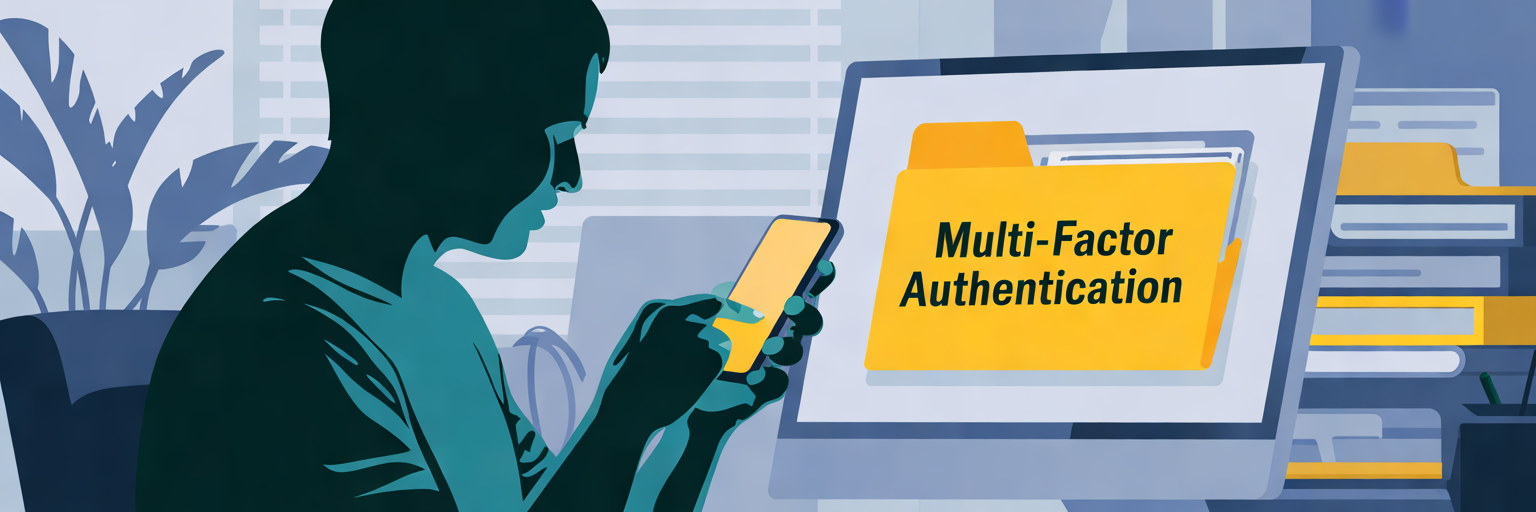
While strong passwords are a necessary first step, they are no longer a sufficient defence against modern cyber threats. The most critical enhancement to the authentication pillar is Multi-Factor Authentication (MFA). In simple terms, MFA adds extra locks to your digital door, requiring users to provide two or more pieces of evidence to verify their identity before gaining access. This layered approach makes it exponentially more difficult for unauthorised individuals to compromise an account, even if they manage to steal a password.
MFA relies on combining verification factors from at least two of three distinct categories:
- Something you know: This is the most common factor, typically a password or a Personal Identification Number (PIN). It is a piece of information that should be known only to the user.
- Something you have: This refers to a physical object in the user’s possession. Common examples include a smartphone receiving a one-time code via an authenticator app or SMS, or a physical security key.
- Something you are: This category involves biometric verification. It uses unique biological traits to confirm identity, such as a fingerprint scan, facial recognition, or an iris scan.
The power of MFA is best illustrated with a practical scenario. Imagine an employee’s password is stolen in a data breach. The cybercriminal, located in another country, attempts to log in to your company’s file server. With only password protection, they would succeed. However, with MFA enabled, the system prompts for a second factor, sending a push notification to the employee’s registered smartphone. Since the attacker does not have the physical device, the login attempt is stopped cold. This is why effective multi-factor authentication for files is a non-negotiable security control.
A common misconception is that MFA is cumbersome and disrupts workflow. In reality, modern implementations are designed to be seamless. A simple tap on a smartphone notification or a quick fingerprint scan is often all that is required. This minor step provides a massive leap in security, transforming authentication from a single point of failure into a robust, resilient defence. As noted by industry leaders like Progress, MFA is a best practice for user authentication in any secure system. It is a core component of a comprehensive digital protection strategy, which should also include robust antivirus and security software to defend against other threats.
Streamlining Permissions with Role-Based Access Control
Managing permissions on an individual, user by user basis is inefficient and prone to error, especially as a business grows. A more strategic and scalable approach is Role-Based Access Control (RBAC). RBAC is a method for managing the authorisation pillar by assigning permissions to job roles rather than to individual employees. This shift in perspective delivers significant role-based access control benefits, saving administrative time and dramatically reducing the risk of human error.
Instead of manually configuring access rights for every new hire, an administrator simply assigns them to a predefined role, such as ‘Finance’, ‘Marketing’, or ‘Sales’. That role comes with a pre-packaged set of permissions that grants the user instant access to all the folders, files, and tools necessary to perform their job. This ensures consistency and eliminates the guesswork that often leads to over-provisioning access. When an employee’s job function changes, their role can be updated in a single step, automatically adjusting their permissions to match their new responsibilities.
The table below illustrates how a typical RBAC structure might be implemented in an Australian small business, mapping job functions to specific data permissions. This structure simplifies administration, enhances security, and ensures employees and partners have access only to the information necessary for their tasks.
| Role | Typical Responsibilities | Example Permissions | Security Rationale |
|---|---|---|---|
| Administrator | Oversees the entire system, manages users and high-level settings. | Full Control: Create, Read, Update, Delete, Share, Change Permissions. | Limited to 1-2 trusted individuals (e.g., business owner, IT manager) for complete system oversight. |
| Finance Team | Manages invoices, payroll, and financial reporting. | Read/Write access to ‘Finance’ and ‘Invoices’ folders. Read-only access to ‘HR’ folder. No access to ‘Marketing’ or ‘Development’ folders. | Restricts sensitive financial data to authorised personnel only, preventing accidental exposure. |
| Marketing Team | Creates and manages marketing campaigns, social media assets, and website content. | Read/Write/Share access to ‘Marketing Assets’ and ‘Campaigns’ folders. Comment-only access to ‘Product Designs’ folder. | Enables collaboration on marketing materials while protecting core intellectual property from modification. |
| External Contractor | Works on a specific, time-bound project (e.g., a website redesign). | Read/Write access to a single project folder (‘Website Redesign 2024’). No access to any other company data. Access set to expire on project completion date. | Provides necessary access for collaboration while strictly isolating contractors from sensitive internal company data, following the Principle of Least Privilege. |
RBAC is particularly powerful for managing the employee lifecycle. When a new marketing coordinator joins the team, they are assigned the ‘Marketing’ role and immediately have everything they need. Conversely, when an employee leaves the company, an administrator simply revokes their role. This single action comprehensively and instantly removes their access to all company data they could previously see, closing a major security loophole. By implementing RBAC within our secure cloud storage, businesses can automate and fortify their data governance with confidence.
Advanced Security with Granular and Conditional Access

While Role-Based Access Control provides a strong foundation, a truly sophisticated security model incorporates more advanced, dynamic controls. Granular and conditional access policies allow businesses to fine-tune permissions beyond broad roles and adapt security measures in real time based on context. This elevates security from a static set of rules to an intelligent, responsive system.
Beyond Roles: Fine-Tuning with Granular Permissions
Granular permissions offer the ability to override or supplement broad role-based rules for specific files or situations. This is essential for handling highly sensitive information or unique collaboration scenarios where a one-size-fits-all approach is insufficient. It allows for precise control over how data is shared and used, even after it has been accessed. Practical examples of granular controls include:
- Expiring Links: Setting a shared link for a client proposal to automatically become inactive after seven days, ensuring outdated information is not accessible.
- Disabling Downloads: Allowing a stakeholder to view a financial report online but disabling the ‘download’ or ‘print’ options to prevent unauthorised copies from being made.
- Automated Watermarking: Automatically embedding a confidential design mock-up with the viewer’s email address and a timestamp, deterring screenshots and unauthorised distribution.
These controls provide an additional layer of security that travels with the file itself.
Dynamic Security with Conditional Access Policies
Conditional Access takes security a step further by making it context-aware. It is an intelligent model where access rights are not fixed but can change dynamically based on a range of real-time signals. This allows the system to automatically assess the risk of each access request and apply appropriate security measures. Key conditions that can trigger policy changes include:
- User Location: Blocking login attempts from unrecognised countries or high-risk IP addresses.
- Device Health: Requiring MFA or limiting access if a user is attempting to log in from a personal, unmanaged device that does not meet company security standards.
- Network Type: Restricting access to highly sensitive data if the user is connected to an unsecured public Wi-Fi network.
As noted in resources from Microsoft, these features are crucial for secure file collaboration, especially when working with external partners. When you choose the right digital services partner, ensuring they can operate within such a secure framework is paramount for protecting your data while enabling productive collaboration.
Ensuring Compliance and Visibility Through Auditing
The third pillar of access control, auditing, is essential for maintaining visibility and demonstrating compliance. It provides the definitive, unchangeable record of all data activity, transforming security from a set of passive rules into a monitored and accountable system. For Australian businesses, robust auditing is not just a best practice, it is a critical component of meeting regulatory obligations and responding effectively to security incidents.
The Power of Audit Trails and Activity Logs
Audit trails and activity logs are the backbone of a transparent security posture. They capture detailed information for every action taken within the system, including who accessed a file, what they did with it, when the action occurred, and from what IP address. This comprehensive logging creates a complete history of data interaction, providing invaluable insights for security analysis and forensic investigations. Without these logs, a business is effectively blind to what is happening with its most valuable assets.
Meeting Regulatory Requirements in Australia
In Australia, comprehensive audit logs are non-negotiable for demonstrating compliance with data protection laws. Under the Privacy Act and the Notifiable Data Breaches (NDB) scheme, organisations must be able to prove they have taken reasonable steps to protect personal information. In the event of a breach, detailed audit trails are essential for understanding the scope of the incident and fulfilling reporting obligations to the OAIC. These logs serve as concrete evidence that security policies are in place and being enforced.
Accelerating Incident Response
When a security incident is suspected, time is of the essence. Audit logs enable security teams to accelerate their response by quickly answering critical questions. For instance, if unusual download activity is detected from a user’s account at 2 AM, logs can instantly confirm the user’s location and the specific files accessed. This allows the team to rapidly trace the source of a potential breach, determine its scope, and take immediate action to contain the threat, such as revoking access or locking the account.
Automating Protection with Data Loss Prevention (DLP)
Modern auditing has evolved into proactive protection through Data Loss Prevention (DLP). These are intelligent data loss prevention strategies that use the auditing engine to automatically enforce security policies. DLP systems can be configured to scan files for sensitive data patterns, such as Tax File Numbers (TFNs), credit card numbers, or medical record numbers. If such data is detected, the system can automatically apply a policy, such as blocking the file from being shared externally or encrypting it. This automates protection and helps prevent data breaches before they happen. Navigating the complexities of legal compliance, from data privacy laws to the intricate details of public policy as seen in various analyses like those concerning public figures, requires meticulous record-keeping. As outlined in guides from sources like Kiteworks, this principle of demonstrating due diligence is universal, making robust auditing essential.
Choosing a Platform with Integrated Access Control
The final step is translating knowledge into action. Robust access control is not an optional add-on but a foundational component of any professional business platform. Choosing a solution with these capabilities integrated from the ground up is essential for protecting your digital assets. When evaluating providers, Australian businesses should demand a comprehensive feature set that ensures security without compromising efficiency.
The risk of ‘shadow IT’ is a significant threat that an integrated platform helps eliminate. This occurs when employees, lacking sanctioned tools, resort to using personal, insecure applications like a free Dropbox or Google Drive account for work files. This practice creates massive security blind spots and compliance risks. An all-in-one platform like Digital Fusion Hub removes this danger by providing a single, secure, and approved environment for all business data, ensuring strong business cloud storage security.
When selecting a platform, look for one that provides a complete security toolkit. Your checklist should include:
- Multi-Factor Authentication (MFA) support as a non-negotiable standard.
- Role-Based Access Control (RBAC) for streamlined and scalable permission management.
- Granular and conditional access policies for fine-tuned, context-aware security.
- Comprehensive, easily searchable audit logs for compliance and incident response.
- Centralised user management to simplify onboarding, offboarding, and role changes.
- Integration with other business tools to create a seamless and secure workflow.
As highlighted by industry resources like Zoho, modern solutions must offer these features to be considered truly secure. Our cloud storage plans are built around these core principles.
Ultimately, selecting a provider is about more than just features, it is about finding a strategic digital partner. By entrusting your digital infrastructure to experts, you can focus on your core business and drive growth, confident that your most valuable assets are protected by state-of-the-art access control measures. If you are ready to secure your business operations with a comprehensive platform, please contact us for a personalised consultation on your security needs.