

Imagine your most critical business data—client records, financials, and projects—vanishing in a flash. A cloud backup for small business isn’t just a good idea; it’s a non-negotiable insurance policy, a digital lifeline that protects your most valuable assets from hardware crashes, theft, ransomware, or even a simple mistake, no matter where you operate.
Why Cloud Backup Is Your Business Lifeline

For a small business, data isn’t just information; it’s the very foundation of your operations. Losing it can mean losing customer trust, revenue, and potentially your entire business. Relying solely on a local hard drive in your office is like keeping your only set of keys inside the building you need to get into—if one is compromised, so is the other.
This is where modern cloud solutions completely change the game for businesses with an international footprint.
The Modern Digital Vault
Think of a cloud backup service as an automated, ultra-secure digital vault located far away from your physical premises. It works silently in the background, making perfect copies of your crucial files and storing them safely off-site.
This approach immediately shields you from the most common local disasters:
- Hardware Failure: A fried computer or server no longer means your data is gone forever.
- Physical Threats: Your information stays safe from office theft, fire, or flooding.
- Cyberattacks: Ransomware can lock up your local files, but your clean, off-site copies remain untouched and ready for recovery.
A cloud backup creates a vital separation between your original data and its secure copy. This gap is your safety net, ensuring a disaster in one location doesn’t wipe out your business’s history and future.
The shift to these solutions is happening fast for a reason. Globally, the cloud backup market—driven mostly by small and medium-sized enterprises (SMEs)—is a multi-billion dollar industry and is expected to soar. As more SMEs ditch costly on-premise IT, the value of scalable, reliable data protection becomes impossible to ignore.
A Stark Contrast to Traditional Methods
Remember the old days of manually backing up? You’d have to remember to plug in an external drive and actually run the software. A professional cloud service automates the entire process. This “set-it-and-forget-it” model removes the risk of human error, which, believe me, is one of the top causes of backup failures.
To really see the difference, let’s compare the old way with the new.
Local Backup vs. Cloud Backup: A Small Business Comparison
The choice between a simple external hard drive and a dedicated cloud service can have a huge impact on your business’s resilience. Here’s a straightforward breakdown of how they stack up.
| Feature | Local Backup (e.g., External Hard Drive) | Cloud Backup Service |
|---|---|---|
| Security | Vulnerable to local threats (theft, fire, flood). Encryption is often manual and inconsistent. | Data is encrypted during transfer and at rest in secure data centres, safe from local disasters. |
| Accessibility | Requires physical access to the drive. Cannot restore data if you’re away from the office. | Access your files and restore data from any location with an internet connection. |
| Cost | Low initial cost for the hardware. Can become expensive if multiple drives are needed. | Monthly or annual subscription fee. Predictable operational expense that scales with your needs. |
| Scalability | Limited by the drive’s capacity. Requires buying new hardware to add more space. | Virtually unlimited storage. Easily adjust your plan as your data grows without buying hardware. |
| Automation | Often a manual process. Prone to human error (e.g., forgetting to run the backup). | Fully automated, “set-it-and-forget-it” backups run on a schedule without any user action. |
| Recovery | Recovery is fast if the drive is on-site and working, but impossible if the drive is lost or damaged. | Reliable recovery process. Data can be restored to a new device anytime, anywhere. |
While a local backup is better than nothing, a cloud service offers a level of security, automation, and flexibility that a small business needs to be truly protected in today’s world.
Security is, without a doubt, the most important piece of the puzzle. Professional services use advanced encryption to protect your data, both as it travels over the internet and while it sits in the data centre. Frankly, this is a level of security that’s incredibly difficult and expensive for a small business to achieve on its own. For a deeper dive into this crucial topic, you can read our guide on the principles of https://digitalfusionhub.com/encrypted-file-sharing.
And to make sure your business lifeline is truly secure, especially for your web presence, you need to understand the complete strategy. A great place to start is this ultimate guide to WordPress site backup.
How Cloud Backup Actually Works
How Cloud Backup for Small Business Works
At its core, a cloud backup solution for small businesses works like a secure digital courier service. Instead of relying on manual processes, the system automatically protects your data in the background. As a result, business owners can focus on daily operations without worrying about data loss.
The process begins directly on your computer, server, or business device. First, you install a small backup application that continuously monitors your selected files and folders. Furthermore, the software identifies the information that requires protection, including financial records, customer databases, business documents, and project files.
However, the system does much more than simply copy files. Before transferring any data, the software encrypts it using advanced security protocols. Consequently, unauthorized users cannot read the information during transmission or storage.
In addition, encryption protects sensitive business information from cyber threats, data breaches, and unauthorized access attempts. Therefore, cloud backup solutions provide both data protection and business continuity benefits.
Ultimately, this automated process removes guesswork, improves security, and ensures that critical business data remains protected at all times.
The Journey From Your Office to the Cloud
How Encryption and Secure Storage Protect Your Data
Think of encryption as placing your data inside an unbreakable digital envelope. Before any information leaves your network, the backup software encrypts it using advanced security standards such as AES-256. As a result, unauthorized users cannot read the data even if they intercept it.
This encryption process serves as a critical first layer of protection. Furthermore, it helps safeguard sensitive business information from cyber threats and unauthorized access attempts.
Once the software encrypts the data, it securely transfers the information to a remote data center through protected internet connections. However, these facilities offer much more than simple storage space. They include 24/7 physical security, environmental controls, backup power systems, and advanced monitoring technologies.
Moreover, the data center stores your information in its encrypted form. Consequently, the files remain protected even while they are stored and waiting for recovery if needed.
The entire backup process operates automatically. First, the system copies the data. Next, it encrypts the files. Then, it transfers them to secure offsite storage. As a result, businesses can rely on a consistent backup schedule without requiring daily manual intervention.
Ultimately, this automated workflow allows organizations to adopt a true “set it and forget it” approach. Therefore, business owners and teams can focus on their work while the backup system continuously protects critical data in the background.
Redundancy and Recovery: The Real Safety Net
Why Redundancy Is Essential for Cloud Backup
However, real data protection involves much more than creating a single backup copy. Instead, professional cloud backup providers rely on redundancy to strengthen reliability and reduce risk. As a result, businesses gain greater protection against data loss and unexpected disruptions.
Redundancy means that the provider stores multiple copies of your data rather than keeping everything in a single location. Furthermore, many providers distribute these copies across different servers and, in some cases, multiple geographic regions. Consequently, the backup system can continue operating even if one storage location experiences a problem.
This layered approach creates a powerful safety net for businesses. For example, if one server becomes unavailable, another server can immediately take over. Therefore, users can maintain access to their data without significant interruptions.
Moreover, redundancy dramatically reduces the likelihood of permanent data loss. In addition, it helps organizations recover more quickly from hardware failures, cyber incidents, and natural disasters. As a result, businesses benefit from a level of resilience that would otherwise require significant investment and technical expertise.
Ultimately, redundant cloud backup systems provide reliable protection, improved business continuity, and greater peace of mind. Therefore, small businesses can safeguard critical information without building and maintaining expensive backup infrastructure on their own.
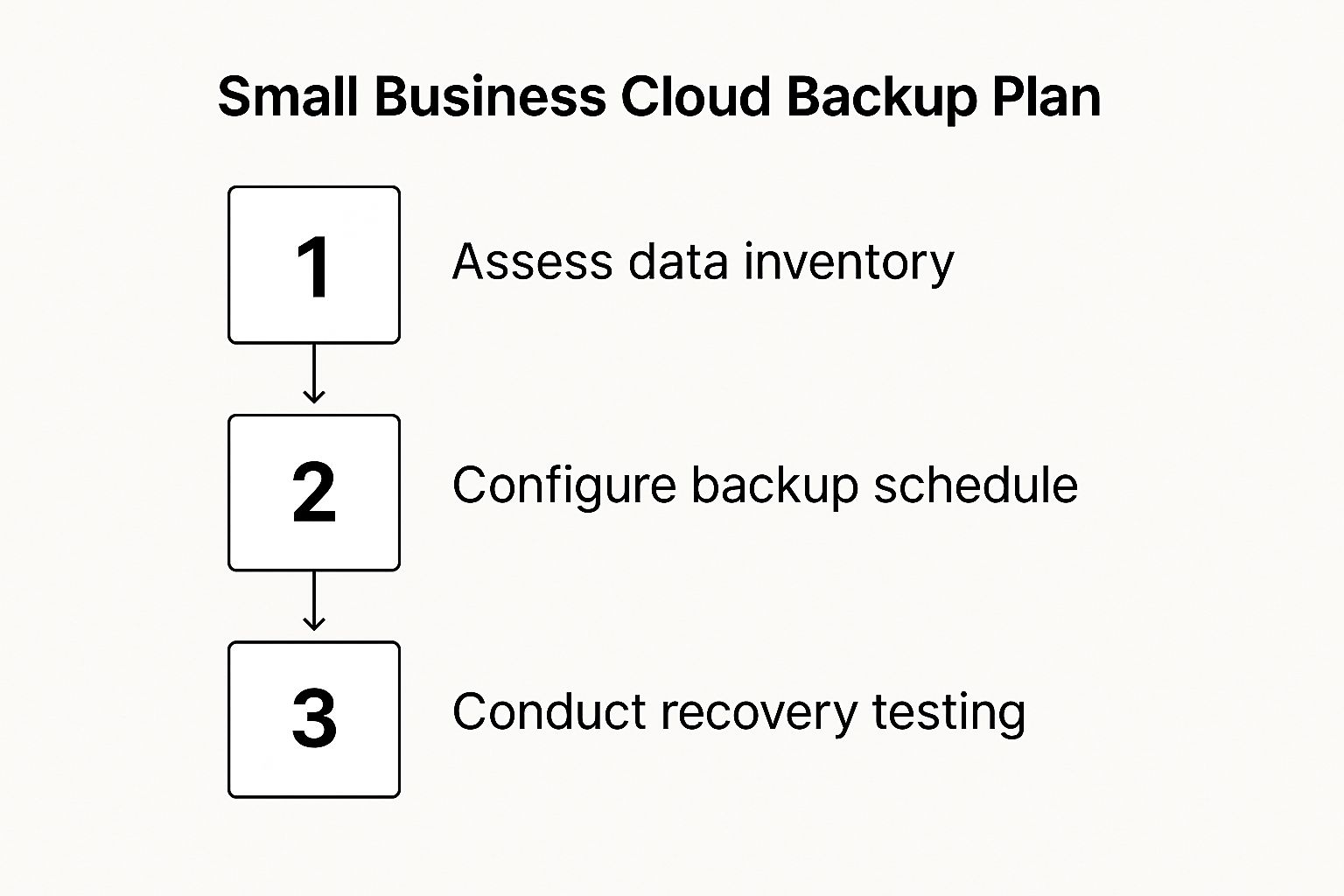
As you can see, getting it right isn’t just about the technology. It’s about having a clear strategy that includes assessing what you need to protect, configuring it correctly, and then testing to make sure it all works as expected.
Choosing the Right Cloud Backup Service
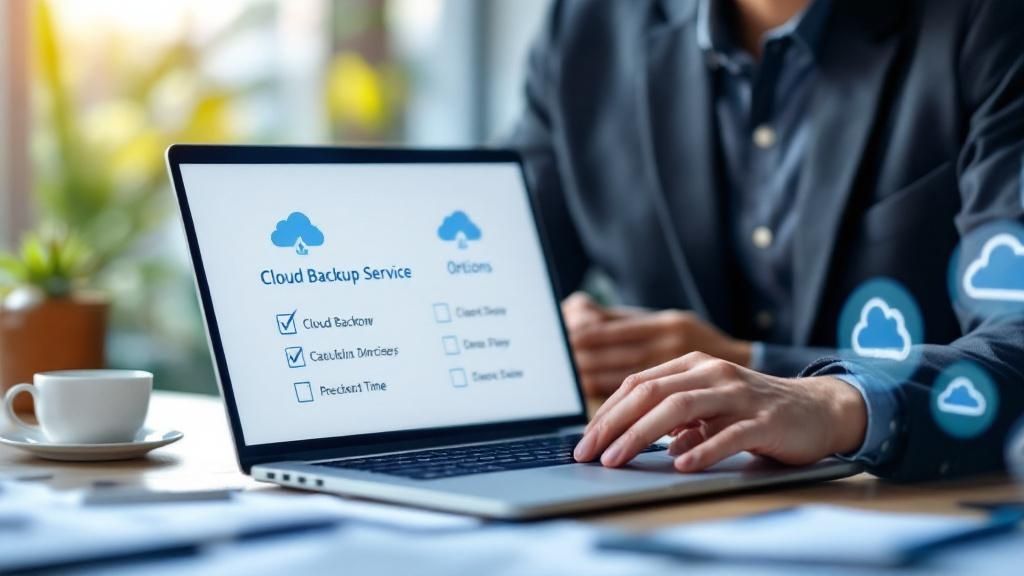
How to Choose the Right Cloud Backup Service
Choosing a cloud backup service can feel overwhelming. After all, many providers make similar promises about security, reliability, and performance. However, protecting your business requires more than comparing marketing claims. Instead, you should focus on the features that directly support your operations and long-term data protection goals.
For businesses serving international customers, selecting the right provider becomes even more important. Therefore, organizations should evaluate cloud backup services based on reliability, security, recovery capabilities, and global accessibility.
Prioritize Automated Backup Scheduling
The most important feature of any cloud backup service is automated backup scheduling. Without automation, businesses often depend on manual processes that employees can easily forget. As a result, important files may remain unprotected when an unexpected problem occurs.
Furthermore, manual backups increase the risk of data loss and operational disruption. Consequently, organizations should choose a solution that performs backups automatically on a daily, hourly, or customized schedule.
A reliable cloud backup platform allows users to configure backup policies once and let the system handle the rest. Therefore, teams can focus on their work while the platform continuously protects critical business information in the background.
Evaluate Data Recovery Capabilities
Backup scheduling is only part of the equation. Ultimately, the true value of a cloud backup service becomes clear when data recovery is required.
For example, businesses may need to restore information after accidental deletion, hardware failure, ransomware attacks, or natural disasters. In these situations, recovery speed and reliability become critical factors.
Moreover, a professional backup solution provides fast and dependable recovery options. As a result, organizations can minimize downtime and resume normal operations more quickly. Therefore, strong recovery capabilities often separate enterprise-grade backup platforms from basic storage solutions.
Ultimately, businesses should select a cloud backup service that combines automation, security, and reliable recovery features. In addition, the right solution helps maintain business continuity while protecting valuable data assets.
Key Recovery Features to Demand
When you need your data back, the how is just as important as the if. The best cloud backup for small business gives you multiple recovery options that go far beyond a simple, all-or-nothing system restore. Look for these powerful tools:
- File Versioning: This is your time machine for data disasters. If a file gets corrupted or a ransomware attack hits, versioning lets you travel back to a clean, healthy version from before the incident. Without it, you might just be backing up the corrupted files over and over again.
- Granular Recovery: You won’t always need to restore your entire system. Granular recovery allows you to quickly pull back a single critical file or a specific folder. It saves a huge amount of time and gets you back to work fast after a minor data loss.
Choosing a service isn’t just about storing files. It’s about ensuring you can surgically recover precisely what you need, exactly when you need it. These features give you the control required to keep your business running smoothly.
Geo-Targeted Data Centres and Compliance
For any business with international clients, the physical location of your data isn’t just a technical detail—it’s a legal one. To stay compliant with GDPR, CCPA, and other data sovereignty regulations, you must know where your data lives.
This is why choosing a provider with data centres in multiple regions (e.g., EU, UK, US, Asia) is absolutely essential. It guarantees your customer and business data stays within the required geographical borders, shielding you from eye-watering fines and potential compliance breaches. It’s also peace of mind, knowing your provider understands and operates under the same regulatory frameworks as your customers. This is a key part of an international keyword strategy, as compliant hosting is a selling point in different markets.
It’s crucial to understand the difference between cloud backup and cloud storage. While they’re related, they serve very different functions. You can explore our detailed comparison of cloud storage for small business to see the unique benefits of each. Ultimately, a strong backup service, with its sharp focus on recovery and compliance, is the true foundation of a resilient business.
Meeting Security and Compliance Mandates
Security and Compliance: The Foundation of Cloud Backup
Choosing a cloud backup solution for a small business involves much more than storing files. Instead, it requires building trust in the systems that protect your most valuable information. As a result, businesses must prioritize both security and compliance when evaluating backup providers.
That trust depends on two critical factors. First, the service must protect data from cyber threats and unauthorized access. Second, it must help businesses meet legal and regulatory requirements across the regions they serve. Therefore, organizations should carefully review a provider’s security and compliance capabilities before making a decision.
Why End-to-End Encryption Matters
A professional cloud backup service acts like a digital fortress for business data. Furthermore, strong security starts with end-to-end encryption, which remains one of the most important protection measures available today.
The system encrypts data before it leaves your device and maintains that protection throughout transmission and storage. Consequently, unauthorized users cannot read the information even if they intercept it during transfer. As a result, businesses gain an additional layer of protection against cyberattacks and data breaches.
Strengthening Security with Multi-Factor Authentication
In addition to encryption, organizations should enable multi-factor authentication (MFA). This security feature requires users to provide a second form of verification before accessing their accounts.
For example, the system may send a verification code to a mobile device or authentication application. Therefore, attackers cannot access the account using only a stolen password.
Moreover, MFA significantly reduces the risk of unauthorized access and account compromise. As a result, businesses strengthen their overall security posture and improve protection for critical data assets.
Ultimately, combining end-to-end encryption with multi-factor authentication creates a stronger security framework. In addition, these protections help businesses safeguard sensitive information while supporting compliance and business continuity goals.
The Importance of Data Sovereignty for International Business
If you’re running a business that operates globally, where your data is physically stored isn’t just a minor detail—it’s a serious legal matter. The General Data Protection Regulation (GDPR) in Europe, the California Consumer Privacy Act (CCPA) in the US, and other regional laws have strict rules about how personal and sensitive information is managed, making compliance an absolute top priority.
This is why picking a provider that uses geo-targeted data centres is so important. This practice, known as data sovereignty, ensures your information stays within the legal boundaries required by your customers’ locations. It simplifies your compliance headaches and shields you from the risk of expensive breaches. Strong technical SEO for international reach depends on such compliance, as search engines may factor in user privacy signals.
Globally, regulatory compliance is a massive driver for cloud adoption. With potential fines of up to 4% of annual global turnover or €20 million for GDPR failures, businesses can’t afford to get this wrong. It’s no wonder that secure, compliant backup has become a necessity, contributing to the fact that SMEs now make up over 69% of the cloud backup market.
Aligning Backup with Broader Data Privacy
Your backup strategy can’t live in a silo. It needs to be woven into a much wider commitment to protecting information across your entire business. To make sure everything works together, it’s crucial to understand broader data privacy best practices.
A professional cloud backup solution is more than a technical tool—it’s a critical component of your business’s legal and ethical framework. It actively shields you from hefty fines and the reputational damage that follows a data breach.
For industries with even tighter rules, like healthcare, specific compliance isn’t optional. For example, any service that handles patient data must follow strict regulations, a topic we dive into in our guide to HIPAA compliant cloud storage. By making both security and compliance a priority, you turn your cloud backup from a simple expense into a powerful asset that protects your business’s future.
Your Cloud Backup Implementation Plan
Choosing a cloud backup for small business is a great first move, but the real work starts now. Just having the service isn’t enough; you need a clear plan to make it work for you. Think of it like buying a top-of-the-line fire extinguisher—it’s useless if you don’t know how to pull the pin when things get heated.
The whole process kicks off with one simple question: what data would be catastrophic to lose? This isn’t about saving every last file, but about identifying your most valuable digital assets and protecting them first.
Step 1: Identify Your Critical Data
Start by taking stock of the information that keeps your business running. This isn’t a task you can afford to rush. Your list will likely include:
- Financial Records: Invoices, payroll data, tax documents, and all your accounting databases.
- Customer Information: Your CRM data, contact lists, project files, and important emails from different regions.
- Operational Data: Any proprietary software, key project management files, and your intellectual property.
Once you know what absolutely must be saved, you can set a backup schedule that makes sense. Your daily sales records will need more frequent backups than static files that rarely change. For anyone moving a large amount of data for the first time, our cloud migration checklist offers a structured path to make the process much smoother.
Step 2: Adopt the 3-2-1 Backup Rule
The gold standard for data protection is the 3-2-1 rule. It’s a beautifully simple concept that dramatically cuts your risk of losing everything.
The 3-2-1 rule is straightforward: keep three copies of your your data, on two different types of media, with at least one of those copies stored off-site.
Your cloud backup service instantly handles the “off-site” part for you. This strategy means you’re protected from almost any single point of failure. If a fire or theft hits your office, your cloud copy is safe and sound. If something happens with your cloud provider, you still have your local copies.
Step 3: Test Your Restores Regularly
Here’s the step everyone skips, and it’s the most important one: test your backups. A backup you’ve never tried to restore is nothing more than a theory. You have to prove it works before you’re in a real crisis.
At least once a quarter, try restoring a few random files or a whole folder. It’s a simple fire drill that confirms two things: your data is actually being backed up correctly, and you know exactly how the recovery process works. It’s what turns a plan into proven, practical readiness.
This kind of proactive planning is reflected in wider business trends. Globally, small and medium businesses are increasingly pointing their tech budgets toward the cloud. In fact, forecasts predict a 31% global increase in cloud spending, a pattern that businesses everywhere are closely following. You can read more about these cloud computing spending statistics to see just how seriously businesses are taking these investments.
Frequently Asked Questions About Cloud Backup
Even after seeing all the benefits, it’s completely normal for small business owners to have a few lingering questions before taking the plunge with a cloud backup solution. Choosing the right one feels like a big decision, so of course, you’ll have concerns about cost, security, and how it all works day-to-day. This section tackles those common queries head-on, giving you clear, straightforward answers to help you feel confident.
We’ll cut through the technical jargon and get straight to the information you actually need.
Is Cloud Backup Expensive for a Very Small Business?
This is probably the most common worry we hear, but the answer is usually a pleasant surprise. Cloud backup is designed to be affordable and to grow with you. Most providers use a tiered model based on how much storage you need, so you only pay for what you use. For a sole trader or a micro-business, plans can start from just a few pounds, euros, or dollars a month.
When you weigh that small monthly cost against the catastrophic financial fallout of losing your data—from lost sales and regulatory fines to your entire reputation going up in smoke—a reliable cloud backup service isn’t an expense. It’s one of the best investments you can make. Think of it as essential business insurance.
How Secure Is My Data in the Cloud?
For virtually every small business, a reputable cloud provider can offer security that’s light years ahead of what you could manage on your own. These services are built with enterprise-grade protection that would be incredibly difficult and expensive to implement in-house.
They’ve got you covered with key security measures like:
- Strong Encryption: Your data is scrambled with powerful algorithms like AES-256 encryption, both while it’s travelling to the cloud and while it’s sitting on their servers.
- Physically Secure Data Centres: These aren’t just server rooms; they’re fortresses with 24/7 monitoring, advanced fire suppression systems, and biometric access controls.
- Built-in Redundancy: Your data isn’t just in one place. It’s automatically copied across multiple servers, so if one piece of hardware fails, your data is still perfectly safe.
Your office computer, on the other hand, is still vulnerable to everyday disasters like theft, fire, or even a spilt coffee. By choosing a provider that meets standards like GDPR, you’re handing your data over to specialists whose entire business model depends on keeping it safe. For more tips on protecting your files, our guide on secure file sharing has some great insights.
What Is the Difference Between Cloud Backup and Cloud Storage?
This is a really important one, and the confusion is understandable. They both involve storing files online, but their fundamental purpose is completely different.
Think of cloud storage (like Dropbox or Google Drive) as a shared work desk, designed for real-time collaboration and easy access. Think of cloud backup as a fireproof, off-site vault, built purely for disaster recovery.
Cloud storage is all about file synchronisation. If you delete a file from your computer, it often gets deleted from your cloud storage, too. Cloud backup, however, is built for data protection. It creates independent, secure copies of your data specifically for the purpose of restoration. It also includes critical features like versioning, which lets you restore your files from a point in time before they were hit by ransomware or accidentally deleted—something cloud storage just isn’t built to do.
How Fast Can I Get My Data Back After a Disaster?
Your recovery speed really comes down to two things: the service you’ve chosen and the amount of data you need to get back. For most small incidents, like accidentally deleting an important folder, you can restore those specific files almost instantly right over your internet connection.
For a full-blown system recovery after a major disaster, the main bottleneck is going to be your internet speed. However, many top-tier providers have a clever solution for this. If you need to restore a massive amount of data, they offer a rapid recovery service where they will physically ship an encrypted hard drive with all your data directly to your door. This slashes the recovery time from days to hours and gets you back in business fast.
Ready to protect your business with a secure, reliable, and easy-to-use solution? Digital Fusion Hub offers scalable plans with robust encryption and 24/7 support to ensure your critical data is always safe. Digital Fusion Hub