

Understanding the Digital Threats Facing Aussie Businesses
The Australian Cyber Security Centre (ACSC) receives a cybercrime report every six minutes. This isn’t a scare tactic from a blockbuster film; it’s the reality for businesses across the country. For many small business owners, the idea of cybersecurity feels like a distant, technical problem for large corporations. But the truth is, the digital threats are right on our doorstep, and understanding them is the first step to protecting your hard work.
The modern cyber threat environment can feel complex, but most attacks boil down to a few common methods. Think of malware as a digital virus. Once it infects your website, it can steal data, damage files, or even lock you out entirely. Then there’s phishing, which is more like a con artist in disguise. Instead of breaking down the door, they trick you or your staff into handing over the keys by impersonating a trusted source. A Denial-of-Service (DoS) attack is cruder but just as effective; imagine a coordinated crowd blocking the entrance to your physical shop, preventing any real customers from getting inside.
Phishing scams are particularly effective because they play on our daily routines. In Australia, this means receiving a fake ‘missed delivery’ text from “Australia Post” or an urgent email from the “ATO” during tax season demanding immediate action. Scammers also impersonate major banks like CommBank or NAB, creating a sense of panic that bypasses our rational thinking. They know that if they can make you feel rushed or afraid, you’re more likely to click a malicious link without thinking twice.
The consequences of a security breach go far beyond a technical headache. There’s the immediate financial cost of getting your website fixed and the lost revenue from being offline. But the long-term damage to your reputation can be even more severe. When customers trust you with their data, a breach breaks that trust. Under Australia’s Notifiable Data Breaches (NDB) scheme, you may also have legal obligations to report the incident, adding another layer of complexity. This is why effective website security for small business is a critical business function, not just an IT issue.
Many small business owners believe they are too small to be a target, but the opposite is often true. Attackers see them as ‘soft targets’ because they assume security resources are limited. As the U.S. Cybersecurity & Infrastructure Security Agency (CISA) highlights in its extensive resources, no business is too small to be a target. This isn’t meant to cause fear, but to empower you. By understanding the risks and taking proactive steps, you can build a strong defence. These foundational small business cybersecurity tips are manageable and essential for operating in today’s digital environment.
Building Trust and Security with SSL Certificates
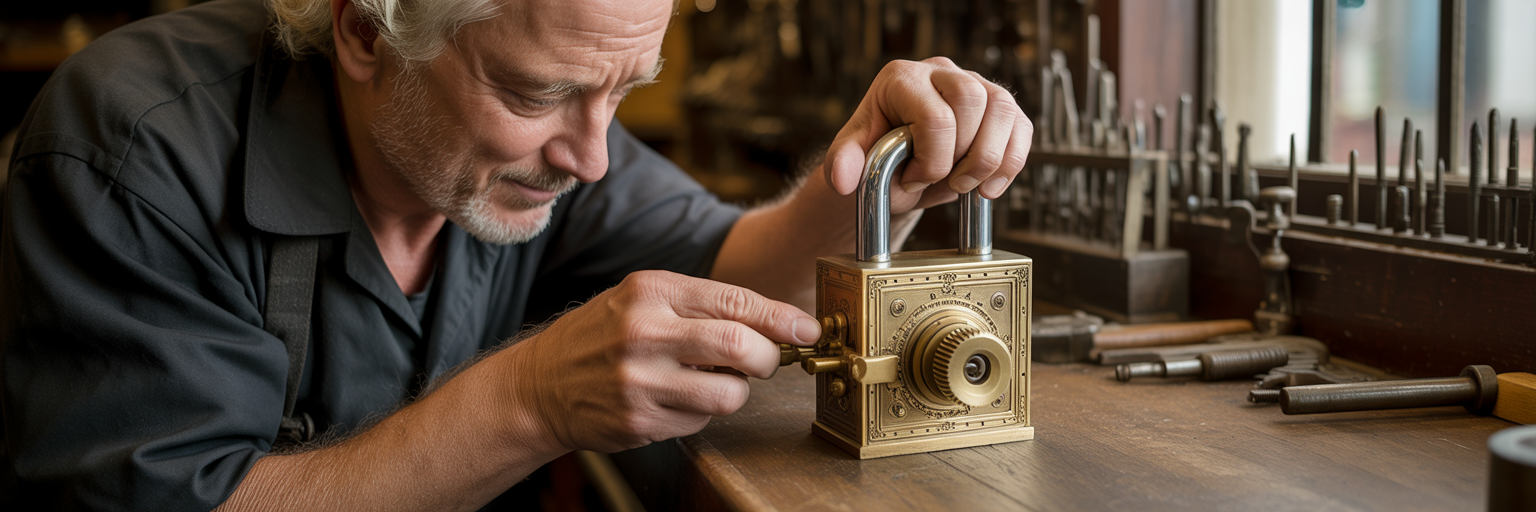
With the digital threats clearly defined, we can now focus on the first and most visible layer of defence: the SSL certificate. It’s a small but powerful tool that serves as a cornerstone for both security and customer trust. For many visitors, it’s the first signal that tells them your website is legitimate and safe to interact with.
What an SSL/TLS Certificate Actually Does
Sending information over the internet without encryption is like sending a postcard. Anyone who intercepts it along the way can read the entire message. An SSL/TLS certificate changes that postcard into a sealed, private letter. SSL (Secure Sockets Layer) and its modern successor, TLS (Transport Layer Security), create an encrypted connection between a customer’s browser and your website’s server. This process scrambles sensitive data like passwords, contact details, and credit card numbers, making them completely unreadable to anyone trying to eavesdrop.
The Padlock and HTTPS: Signals of Trust for Your Customers
Beyond the technical function, an SSL certificate provides powerful visual cues that build immediate trust. You’ve likely seen browsers like Chrome and Firefox display a “Not Secure” warning on sites without one. This is an instant red flag for visitors. In contrast, a site with a valid SSL certificate for business displays a padlock icon in the address bar and uses an ‘https://’ prefix. These small symbols tell your customers that you take their privacy seriously and that their information is protected, encouraging them to engage, purchase, or sign up.
Impact on SEO and Search Engine Rankings
Securing your website isn’t just about defence; it’s also about growth. Google has confirmed that HTTPS is a ranking signal. This means that search engines favour secure websites, giving them a slight boost in search results. In a competitive market, having a secure site can be the edge that puts you above a competitor in Google searches, leading to more organic traffic and potential customers. It’s a clear example of how good security practices directly contribute to your business’s bottom line.
How to Get and Install an SSL Certificate
So, how to secure my website Australia-wide starts with this simple step? Getting an SSL certificate is more straightforward than it sounds. There are different types, but for most small businesses, a Domain Validated (DV) certificate is sufficient, cost-effective, and quick to issue. The easiest way to get one is through your hosting provider. Many, including platforms like Digital Fusion Hub, include SSL certificates as a standard part of their hosting packages, automating the installation and renewal process. As highlighted in guidance from the Federal Trade Commission (FTC), encrypting data is a fundamental step. For businesses looking for a comprehensive suite of digital solutions, exploring our main services page can provide a broader understanding of how we integrate security from the ground up.
The Critical Role of a Secure Web Host
While an SSL certificate secures the data in transit, the security of your website’s foundation rests with your web host. Choosing a hosting provider is like choosing the land to build your house on. No matter how strong your doors and windows are, if the foundation is unstable, the entire structure is at risk. Your web host’s server is that foundation, making it your true first line of defence.
When evaluating a provider for secure web hosting Australia, it’s important to look beyond just price and storage space. A secure host actively works to protect your site at the server level. Here are key features to look for:
- Server-level firewalls that block malicious traffic before it even reaches your site.
- Automatic malware scanning and removal to detect and eliminate threats proactively.
- DDoS protection to absorb and mitigate attacks designed to take your site offline.
- Support for the latest TLS versions to ensure your encryption is up to date.
- Proactive security monitoring and patching of server software.
- Regular automated backups to ensure you can recover from any incident.
An all-in-one platform like Digital Fusion Hub is designed to provide these features as a standard part of its secure hosting, removing the guesswork for business owners. For a detailed look at how a managed platform provides these layers of protection, you can review the features of our secure cloud storage solutions.
The type of hosting you choose also has security implications. Shared hosting is the most affordable but comes with the ‘bad neighbour’ effect. A security breach on another website sharing your server could potentially spill over and affect yours. VPS and Dedicated hosting offer better isolation but often require more technical oversight. Industry analyses, like one from WP All Import, often show that a significant percentage of website hacks originate from vulnerabilities at the hosting level, making this choice critical.
| Hosting Type | Security Implication | Best For | Management Level |
|---|---|---|---|
| Shared Hosting | Lowest cost, but resources and security risks are shared with other sites (‘bad neighbour’ effect). | New websites, blogs, and businesses with a low budget and minimal traffic. | Low (managed by provider). |
| Virtual Private Server (VPS) | A balanced option with a dedicated slice of server resources, offering better security isolation than shared hosting. | Growing businesses, e-commerce stores, and sites needing more control. | Medium (requires some technical knowledge). |
| Dedicated Server | Highest level of security and performance, with an entire server dedicated to your site. Complete isolation. | High-traffic websites, large enterprises, and businesses handling highly sensitive data. | High (requires significant technical expertise or a managed service). |
This table outlines the trade-offs between cost, security, and management for the most common types of web hosting. The choice depends on your business’s specific needs, risk tolerance, and technical resources.
Finally, consider the location of the servers. Choosing a host with servers located in Australia not only improves website speed for your local customers but also helps with compliance with Australian privacy legislation, such as the Privacy Act 1988. This is a crucial consideration for any business that handles the personal information of Australian residents.
Keeping Your Website Software Current and Patched

With a secure host as your foundation, the next layer of responsibility lies with the software that actually runs your website. This includes your content management system (CMS) like WordPress, its theme, and any plugins you’ve installed. Failing to keep this software updated is like leaving a window wide open in your house; it’s an open invitation for intruders who are actively looking for easy ways in.
Many business owners think of updates as just adding new features, but their most important function is patching security vulnerabilities. Hackers develop automated tools that constantly scan the internet for websites running outdated software with known flaws. This is one of the most common methods used to prevent website hacking, yet it’s often overlooked. An old, unpatched plugin can become the entry point for an attack that compromises your entire site.
The risk is a three-pronged one. A vulnerability in your core CMS, your visual theme, or any of your plugins can be exploited. It’s the classic ‘weakest link in the chain’ scenario. You might have the most secure core system, but if a small, forgotten plugin for a contact form has a flaw, that’s all an attacker needs. This is why a consistent update routine is not just good practice; it’s an essential security measure.
To make this process feel less daunting, here is a practical routine you can follow:
- Full Site Backup: Before you touch anything, always create a complete backup of your website files and database. This is your safety net.
- Test on a Staging Site: If possible, apply the updates on a private copy of your site first. This allows you to check for any conflicts or errors without affecting your live customers.
- Update on Live Site: Once you’ve confirmed everything is working on the staging site, apply the updates to your live website, preferably during a time of low traffic.
- Verify Functionality: After the update is complete, take a few minutes to browse your site. Check key pages and functions to ensure everything is working as expected.
Setting a recurring calendar reminder for this routine, perhaps weekly or fortnightly, can turn it into a simple habit. While automated updates can be helpful for minor security patches, they can sometimes cause issues with major version changes. A balanced approach is often best: enable automatic updates for minor releases but handle major updates manually using the routine above. To complement this, robust security suites often include vulnerability scanners that flag outdated software. You can explore some of these options in our Antivirus and Security section.
Fortifying Your Email and User Access Points
A secure website isn’t just about the site itself. It’s also about protecting the doors that lead to it, namely your email and user accounts. Attackers often find it easier to trick a person than to break through a firewall. This section focuses on locking down these human-facing access points, turning potential vulnerabilities into strengths.
Stopping Phishing with Email Authentication
When a scammer sends an email pretending to be from your business, they damage your brand’s reputation. You can fight this by setting up email authentication records like SPF, DKIM, and DMARC. Think of these as a digital passport check for your emails. They help prove to other mail servers that an email sent from ‘@yourbusiness.com.au’ is legitimate, making it much harder for criminals to impersonate you and phish your customers.
The Power of Strong, Unique Passwords
We’ve all heard it before, but it bears repeating because it’s so critical. Using weak or reused passwords is one of the biggest security risks. A password like ‘Password123’ can be cracked by automated software in seconds. The key to a strong password is length and randomness. Instead of a short, complex password, consider using a long passphrase like ‘CorrectHorseBatteryStaple’. It’s easier for you to remember but much harder for a computer to guess. To manage this effectively, use a password manager to create and store unique, strong passwords for every single service you use.
Multi-Factor Authentication (MFA) as a Non-Negotiable Layer
Multi-Factor Authentication is one of the single most effective security measures you can implement. It requires more than just a password to log in; it also requires a second factor, like a code from an app on your phone. This means that even if a criminal manages to steal your password, they still can’t get into your account without physical access to your phone. The Australian Cyber Security Centre (ACSC) considers MFA one of the ‘Essential Eight’ strategies to mitigate cybersecurity incidents. As guidance from bodies like the U.S. Small Business Administration also echoes, it should be considered a non-negotiable layer of security for all your important accounts.
Managing User Roles and Permissions
Not every employee needs the keys to the entire kingdom. The ‘Principle of Least Privilege’ is a simple but powerful concept: give each user access only to the information and tools they absolutely need to do their job. For example, on a WordPress site, a blog writer doesn’t need administrator access. Assigning them the ‘Author’ role is sufficient and significantly reduces the potential damage if their account is ever compromised. A secure business environment is built on layers, and for those looking to learn more about security trends and tips, our blog is a valuable resource.
The Human Element in Your Cybersecurity Defence

After all the technology is in place, your strongest security asset is your team. Technology isn’t foolproof, and a well-trained, vigilant employee can often spot a threat that an automated system might miss. Instead of viewing people as a security liability, it’s far more effective to position them as your first and last line of defence. This requires building a culture where security awareness is everyone’s responsibility.
The most common threat your team will face is phishing. Training them to spot a suspicious email is one of the most valuable small business cybersecurity tips you can implement. Here are some key red flags to teach them to look for:
- Generic greetings like “Dear Valued Customer” instead of their name.
- A manufactured sense of urgency, threats, or unusual requests.
- Mismatched sender details, where the display name says ‘ATO’ but the email address is from a random Gmail account.
- Links that, when you hover over them, reveal a different destination URL.
- Unexpected attachments, especially files ending in .zip or .exe.
- Poor grammar and spelling, as many scam emails originate from non-native English speakers.
Running occasional simulated phishing campaigns can be a great way to provide safe, practical experience in spotting these threats.
This training should be supported by clear security policies. This doesn’t need to be a hundred-page document that no one reads. It can be a simple, one-page guide covering password management, how to report suspicious activity, and the correct procedures for handling customer data. Most importantly, the policy must clearly state who to contact in case of a suspected incident. A quick, decisive response can make all the difference.
The rise of remote and hybrid work introduces new challenges. It’s important to provide guidelines for securing home Wi-Fi networks, such as changing the default router password and name. Emphasise the importance of using a company-provided VPN when connecting to public Wi-Fi at a café or airport. If employees use personal devices for work (a BYOD or ‘Bring Your Own Device’ policy), you need clear rules around security software and data separation. This also connects digital security with physical device security. Just as you secure your website, protecting the devices that access it is vital. This includes having an essential checklist for selecting protective cases for company phones, as a damaged or lost device can be a security risk in itself.
Creating a Resilient Backup and Recovery Plan
Even with the best defences in place, things can still go wrong. A successful ransomware attack, a catastrophic hardware failure, or a simple human error could take your website offline. This is where your backup and recovery plan becomes your ultimate safety net. A good backup strategy turns a potential disaster into a manageable inconvenience, allowing you to get back to business quickly.
The gold standard for backups is the ‘3-2-1 Backup Strategy’. It’s a simple concept that provides robust protection:
- Keep at least three copies of your data: your live website plus two backups.
- Store your backups on two different media types. For example, one copy on your hosting server and another in a separate cloud service.
- Keep one copy stored off-site, physically separate from your office and the web server.
This strategy ensures that even if one location is compromised, you have other copies to fall back on. This can be easily achieved by using your hosting provider’s automated backups combined with a secondary service. For instance, Digital Fusion Hub’s secure cloud storage provides an ideal off-site location for that critical third copy.
It’s also useful to understand the difference between automated and manual backups. Automated daily backups from your host are essential for capturing day-to-day changes. However, it’s also wise to perform a manual backup before you make any significant changes to your site, like updating your theme or installing a major new plugin. This gives you an extra layer of control and a specific, clean restore point if something goes wrong during the update.
Finally, and most crucially, a backup is only reliable if you know you can restore it. An untested backup is little more than a hope. You must periodically schedule a test restore to a staging environment. This process verifies that your backups are not corrupt and that you know the exact steps to take in an emergency. Knowing the process beforehand minimises panic and dramatically reduces downtime. As government bodies like the Federal Trade Commission consistently advise, regular, verified backups are a cornerstone of any cybersecurity plan. If you encounter issues during this process or need expert help, you can always reach out to our team.