

In today’s connected world, protecting your data is more important than ever. Whether you’re an individual, a freelancer, a creative professional, or a business owner, losing important files can cause serious problems. For example, data loss can delay projects, reduce productivity, create financial losses, or permanently erase valuable personal memories.
Furthermore, businesses that operate across different countries face additional challenges. They often manage multilingual content, customer information, marketing campaigns, and websites for multiple regions. As a result, they need a reliable backup strategy that protects business data and supports daily operations.
Why a Strong Backup Strategy Matters
A reliable backup plan does much more than recover lost files. It also helps businesses maintain operations, protect customer information, and recover quickly after cyberattacks, hardware failures, or accidental deletion. In addition, regular backups reduce downtime and improve business continuity.
This guide goes beyond basic backup advice. Instead, it explains practical data backup best practices that you can use every day. Specifically, you’ll learn how to apply the 3-2-1 backup rule, automate backups, encrypt sensitive files, and prepare an effective disaster recovery plan.
What You’ll Learn
You’ll also discover how cloud storage platforms such as Sky Drive Folder can help protect your business data while providing secure access from anywhere. Furthermore, this guide explains how reliable backups support international business growth, protect website content, and secure customer information across different regions.
Finally, following these best practices helps you reduce data loss, strengthen security, maintain compliance, and support your long-term business goals with confidence.
1. The 3-2-1 Backup Rule: Build a Strong Foundation for Data Protection
What Is the 3-2-1 Backup Rule?
The 3-2-1 backup rule is one of the most trusted data backup best practices for protecting important files. Digital asset management expert Peter Krogh introduced this method, and organisations such as the US Computer Emergency Readiness Team (US-CERT) recommend it as a reliable backup strategy.
Whether you’re protecting personal documents or business data, this proven method helps reduce the risk of permanent data loss. As a result, you can recover quickly after hardware failures, cyberattacks, accidental deletion, theft, or natural disasters.
How the 3-2-1 Backup Rule Works
The rule is simple and easy to follow:
- Keep three copies of your important data.
- Store those copies on two different types of storage media, such as an internal drive and an external hard drive.
- Keep one copy in a secure off-site location, such as a trusted cloud backup service.
This strategy creates multiple layers of protection. Consequently, if one copy becomes damaged, stolen, or unavailable, you can restore your files from another backup.
Why the 3-2-1 Backup Rule Is Important
The 3-2-1 backup rule protects your files from many common threats. For example, it helps recover data after hard drive failures, ransomware attacks, software corruption, accidental deletion, or natural disasters.
In addition, it supports business continuity by reducing downtime and protecting valuable information. Ultimately, this simple backup strategy gives you confidence that your files remain safe, secure, and easy to recover whenever you need them.
Real-World Examples
The 3-2-1 backup rule works well for both individuals and businesses. However, each user can apply it differently depending on their needs.
For Individuals and Creative Professionals
A photographer or designer may store their original files on a laptop or desktop computer (Copy 1). They can save a second copy on an external hard drive (Copy 2) and automatically back up their files to a secure cloud storage service such as Sky Drive Folder (Copy 3).
As a result, they protect valuable photos, videos, design projects, and personal documents from unexpected data loss.
For Small Businesses and Global Teams
Imagine a marketing agency with offices in several countries. The team stores its original project files, multilingual marketing content, and customer documents on a local office server (Copy 1). The business automatically synchronises those files with Sky Drive Folder (Copy 2) so remote employees can access the latest versions securely.
Furthermore, the company keeps a third backup (Copy 3) in a separate cloud data centre located in another region. Therefore, even if a natural disaster, ransomware attack, or hardware failure affects one location, the business can continue operating with minimal disruption.
Quick Summary
The 3-2-1 backup rule is simple, practical, and highly effective. By following this proven method, you can protect important files, improve disaster recovery, reduce downtime, and strengthen your overall data protection strategy.
The infographic below provides a quick visual summary of the 3-2-1 backup rule and shows how this approach helps individuals and businesses keep their data safe.
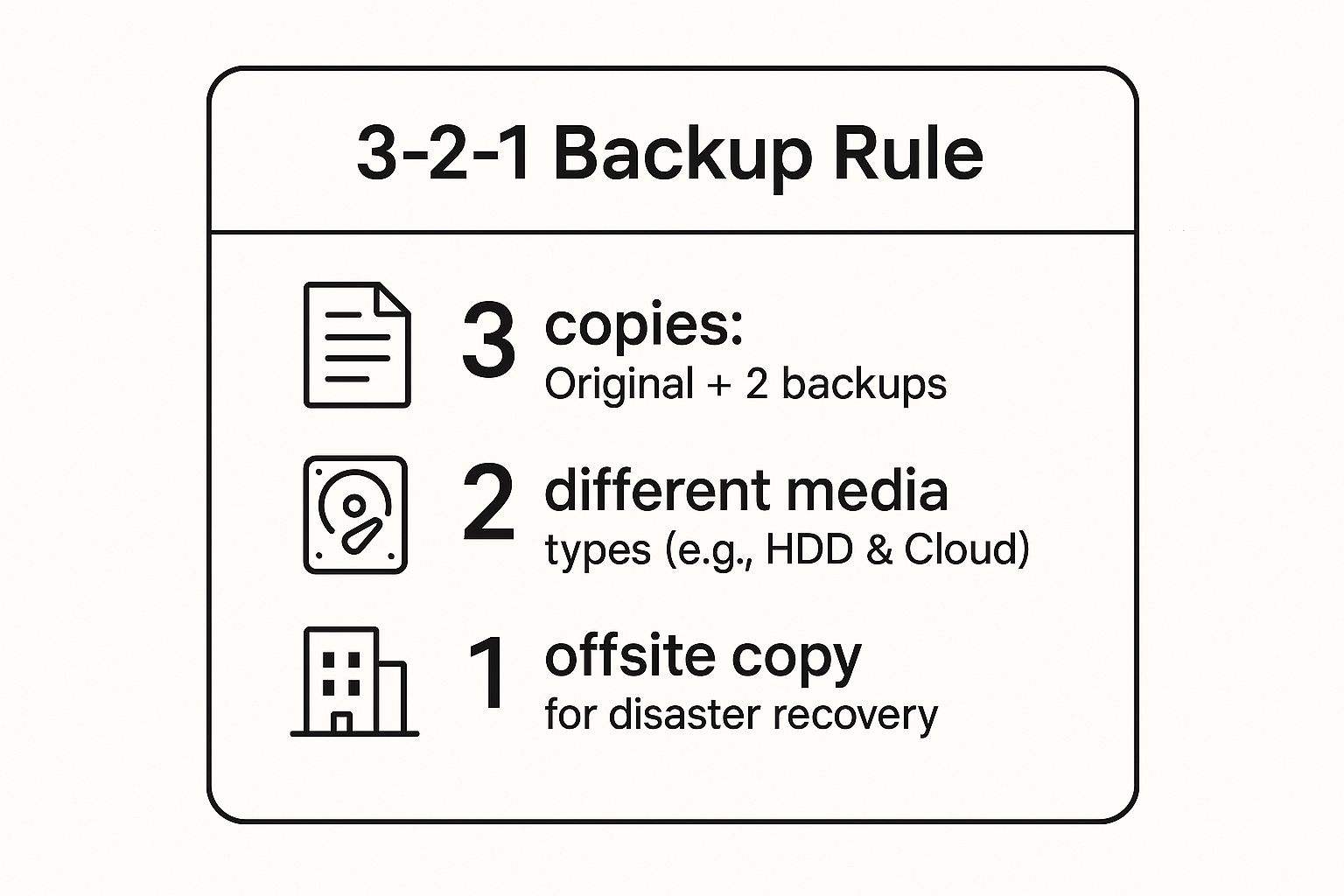
This visual breakdown emphasizes the three critical pillars of the strategy: redundancy in copies, diversity in storage media, and geographic separation for the final backup. Adhering to these simple tenets dramatically increases your data’s durability against a wide array of potential loss scenarios.
2. Regular Automated Backup Scheduling: Eliminating Human Error
Why Automatic Backups Matter
The 3-2-1 backup rule provides a strong foundation for protecting your data. However, your backup strategy only works if you perform backups consistently. Therefore, automatic backup scheduling is one of the most important data backup best practices for individuals and businesses.
Automatic backups remove the need to remember when to back up your files. As a result, you reduce the risk of missed backups caused by busy schedules or human error. Your important documents, photos, customer records, and business files remain protected without requiring daily attention.
How Automatic Backup Scheduling Works
Most backup software allows you to schedule backups in advance. For example, you can run backups every hour, every day, or every week, depending on your needs.
Many modern cloud backup platforms also offer smart backup options. In addition, they can automatically create backups whenever files change, when users save new documents, or at specific times during the day. This approach ensures your latest data remains protected with very little effort.
Benefits of Automated Backups
Automatic backups provide several important benefits:
- Protect your files without manual work.
- Reduce the risk of forgotten or missed backups.
- Keep important business data up to date.
- Save time by running backups automatically.
- Improve disaster recovery after hardware failures or cyberattacks.
- Support business continuity with reliable data protection.
Best Practices for Backup Scheduling
Choose a backup schedule that matches how often your data changes. For example, businesses that update files every day should run daily or continuous backups. Meanwhile, home users may only need weekly backups for personal documents and photos.
Furthermore, check your backup reports regularly to confirm that every backup completed successfully. Finally, test your backups from time to time to make sure you can restore your files quickly when needed.
Final Thoughts
Automatic backup scheduling makes data protection simple and reliable. Instead of relying on memory, let your backup software protect your files automatically. Ultimately, consistent backups reduce downtime, protect valuable information, and give you confidence that your data is always ready for recovery.

How Automated Scheduling Works in Practice
Implementing an automated schedule is a critical step for ensuring data is consistently captured. The approach can be tailored to meet diverse needs, from individual users to globally distributed teams.
- For Individuals & Freelancers: A freelance graphic designer can use their operating system’s built-in tools, like Windows File History or macOS Time Machine, to run continuous backups of their project folders to an external drive. For offsite protection, they can configure the Sky Drive Folder desktop client to automatically sync their entire “Current Projects” folder to the cloud in real-time, ensuring every saved change is immediately backed up without a second thought.
- For Global Businesses: A multinational tech firm can implement a multi-tiered automated strategy. Nightly full backups of their primary servers in their Montreal data centre are scheduled during off-peak hours to minimize performance impact. Throughout the business day, incremental backups run every hour to capture new data, including updates to their international keyword strategy documentation and multilingual content. Simultaneously, transaction log backups for their critical SQL databases might be scheduled to run every 15 minutes, ensuring the Recovery Point Objective (RPO) is kept extremely low. This geo-targeted strategy ensures that teams from Europe to Asia have their contributions secured promptly.
By automating the process, organizations can focus on their core operations, confident that their data protection is running seamlessly in the background. For a deeper dive into different strategies, you can explore various small business backup solutions on digitalfusionhub.com/ to find the right fit. This systematic approach transforms data backup from a reactive chore into a proactive, reliable, and indispensable business process.
3. Regular Backup Testing and Verification
A backup strategy is only as good as its ability to restore data successfully. This is where regular testing and verification become a cornerstone of any robust data backup best practice. Many individuals and organisations diligently back up their data, only to discover during a real crisis that the backups are corrupt, incomplete, or unusable. The practice of routinely testing backups ensures your recovery plan is functional, reliable, and capable of meeting its objectives when you need it most.
This critical step moves beyond simply checking if a backup job completed without errors. It involves actively performing restore operations to confirm data integrity and system functionality. This proactive approach, heavily promoted by disaster recovery consultants and mandated by compliance standards like PCI-DSS and SOX, is what separates a theoretical safety net from a proven one.

How Backup Testing Works in Practice
Integrating regular, structured testing is crucial for ensuring your data, whether personal or professional, remains recoverable. This process validates not only the data itself but also the procedures and tools used for recovery.
- For Freelancers & Small Businesses: A freelance graphic designer can schedule a quarterly test. They might restore a large project folder from their Sky Drive Folder cloud backup to a secondary computer. This test verifies that their critical assets are intact and that they can quickly retrieve them to meet a client deadline, even if their primary workstation fails.
- For Educational Institutions: A university with a global student body might conduct restore tests of its student information system from a Sky Drive Folder backup before the start of each semester. They would restore the database and its multilingual interface to an isolated test environment to confirm that student registrations, geo-targeted course schedules, and academic records are all recoverable without disrupting the live system, ensuring operational continuity during peak periods.
This video provides an excellent overview of why backup testing is so fundamental to data protection.
By systematically validating your backups, you build confidence in your disaster recovery capabilities. This simple, repeatable process is one of the most effective data backup best practices for transforming a backup plan from a hopeful strategy into a guaranteed recovery path.
4. Version Control and Retention Policies: Strategic Data Lifecycle Management
Beyond just having a backup, one of the most critical data backup best practices involves managing which versions of your data you keep and for how long. This is where version control and retention policies come into play. This systematic approach allows you to restore files from specific points in time, not just the most recent copy. It balances storage costs against recovery needs and is essential for meeting legal and regulatory compliance obligations.
This strategy moves beyond simple data duplication to a sophisticated data lifecycle management plan. It ensures you can recover from gradual data corruption, accidental deletions, or ransomware attacks that may have gone unnoticed for days or weeks. By defining how many versions to keep and a schedule for deleting old ones, you create a powerful, historical archive of your critical information without accumulating infinite storage costs.
How Version Control and Retention Policies Work in Practice
Implementing these policies is a strategic exercise that aligns data management with business objectives and external requirements.
- For Legal and Professional Services: A law firm in Calgary must retain client files for a minimum of seven years to meet professional body requirements. Their retention policy mandates that daily backups are kept for 30 days, monthly backups for one year, and annual backups for seven years before secure deletion. This tiered approach ensures short-term recovery and long-term compliance.
- For Global Software Companies: A software development company with teams in Vancouver and Berlin uses a code repository with indefinite retention for its primary intellectual property. For project files stored in their collaborative Sky Drive Folder, such as assets for various content types that drive global conversions, they implement a 90-day version history. This allows developers to roll back to any previous version from the last quarter, supporting agile development while managing storage for non-essential assets.
These policies are not just technical settings; they are fundamental business rules that govern your data’s entire lifecycle. They provide a clear framework for what to save, for how long, and when it’s safe to dispose of it, which is a cornerstone of responsible data governance.
5. Encryption of Backup Data: Your Digital Vault for Confidentiality
Creating backups is only half the battle; ensuring they are unreadable to unauthorized parties is equally crucial. Encrypting your backup data is a non-negotiable step in modern data backup best practices, transforming your stored files into indecipherable ciphertext. This security measure protects your data both while it’s being transferred (in-transit) and while it’s stored on a server or drive (at-rest), serving as a powerful defence against data breaches, theft, and unauthorized surveillance.
This practice is essential for maintaining data confidentiality and is often mandated by regulatory frameworks like HIPAA and PIPEDA. For any individual or organisation handling sensitive information, encryption is the lock on your digital vault. It ensures that even if a backup medium is physically stolen or a cloud account is compromised, the underlying data remains secure and inaccessible without the correct decryption key.
How Encryption Works in Practice
Implementing robust encryption is a core feature of secure backup solutions and is vital for building trust with clients and meeting compliance obligations across different regions.
- For Healthcare Providers & Legal Firms: A medical clinic in Vancouver must protect patient records to comply with British Columbia’s Personal Information Protection Act (PIPA). By using a service like Sky Drive Folder, they can ensure patient data backups are encrypted both during upload and while stored in the cloud. Similarly, a law firm in Montreal can protect attorney-client privileged information, ensuring that even if a backup is intercepted, the confidential data remains secure.
- For Global Financial Institutions: A Toronto-based fintech company with customers in Europe must adhere to GDPR alongside Canadian privacy laws. Encrypting all backup data is a foundational requirement. They would use end-to-end encryption for customer financial data, including that gathered from localized content on geo-targeted landing pages, ensuring it’s protected from the moment it leaves their local server until it’s archived in a secure, geo-targeted data centre. This multi-layered security approach is critical for their international keyword strategy and for building a trustworthy global brand.
To effectively manage this critical security layer, consider these actionable tips:
- Separate Keys from Data: Always store your encryption keys separately from the backup data. A compromised backup is useless to a thief if they don’t have the key.
- Test Key Recovery: Regularly include key recovery drills in your backup testing procedures. A lost key is just as bad as lost data.
- Implement Key Rotation: Periodically change your encryption keys to limit the potential damage from a compromised key.
- Document Everything: Maintain clear documentation for your key management procedures to ensure a smooth recovery process during an emergency.
By integrating strong encryption into your backup strategy, you elevate your data protection from simple storage to a secure, compliant, and resilient archive. You can learn more about how file encryption works on digitalfusionhub.com/ to deepen your understanding of this essential practice.
6. Offsite and Cloud Backup Storage: Your Ultimate Disaster Shield
While local backups are essential for fast recoveries, they share a critical vulnerability with your primary data: physical location. A fire, flood, or theft at your office or home could wipe out both your original files and your onsite backups simultaneously. This is why incorporating offsite and cloud storage into your data backup best practices is non-negotiable for true resilience. It provides the geographic separation necessary to protect your data from localized disasters.
The strategy involves storing at least one complete backup copy in a physically separate location. This can be achieved through modern cloud services, which store your data in secure, remote data centres, or through traditional methods like sending physical media (like tapes or hard drives) to a secure third-party facility. For most users today, cloud backup offers a more automated, accessible, and scalable solution.
How Offsite and Cloud Storage Works in Practice
Implementing offsite backups is a key component of the 3-2-1 rule and can be tailored to any scale of operation, from a solo freelancer to a multinational corporation.
- For Small Businesses & Freelancers: A design agency might use its local server for primary work files (Copy 1) and a network-attached storage (NAS) device for quick local backups (Copy 2). For its crucial offsite copy (Copy 3), it uses a service like Sky Drive Folder to automatically sync project folders to the cloud. This provides an affordable, set-and-forget disaster recovery solution that protects against any event affecting their physical office.
- For Global Enterprises: A large corporation with offices in different countries can implement a sophisticated hybrid cloud strategy. Each regional office backs up its data to a centralized corporate data centre for operational recovery. For ultimate disaster protection, all critical data—including assets for geo-targeted landing pages and multilingual content—is then replicated to a geo-redundant cloud provider like Microsoft Azure or AWS. This approach supports technical SEO for international reach by ensuring data sovereignty and rapid recovery for any global office.
By separating your backups geographically, you build a powerful defence against catastrophic data loss. You can learn more about how to set up an effective strategy by exploring our guide to cloud backup for small business. This approach ensures that even if your primary site is completely compromised, a secure and accessible copy of your data remains safe and ready for restoration.
7. Incremental and Differential Backup Strategies
While full backups provide a complete snapshot, they can be time-consuming and storage-intensive. This is where incremental and differential backup strategies become essential data backup best practices. Popularized by enterprise backup software vendors like Veeam and Commvault, these methods optimize storage and speed by capturing only the data that has changed, dramatically reducing backup windows and storage costs.
This approach is centred on efficiency. An incremental backup saves only the changes made since the last backup of any type (full or incremental). A differential backup saves all changes made since the last full backup. Both methods offer a smarter way to protect data without the overhead of copying everything, every time, making them ideal for dynamic environments with frequent data modifications.
How Incremental and Differential Backups Work in Practice
These strategies are highly effective across various scales, from individual file servers to complex virtualized infrastructures.
- For Small Businesses & File Servers: A small marketing agency might use Windows Server Backup for its on-premise file server. They could schedule a full backup every Sunday night. From Monday to Saturday, they can run daily incremental backups. This means each daily backup is very small and fast, only capturing that day’s new or modified client files and creative assets. Restoring requires the last full backup plus each subsequent incremental file, but the daily operational impact is minimal.
- For Enterprise & Virtualized Environments: A multinational corporation using VMware for its virtual machines (VMs) can leverage these methods for immense efficiency. They might perform a full VM backup monthly. Weekly differential backups are then taken of all their digital assets, including their portfolio of localized content. If a VM needs to be restored on a Thursday, the team only needs the last monthly full backup and the most recent weekly differential backup. This simplifies the restore process compared to a long incremental chain while still saving significant space over daily full backups.
Choosing between incremental and differential depends on your recovery time objectives (RTOs) and storage capacity. Incremental is faster and uses less space daily, but restoration can be more complex. Differential uses more space over time but offers a simpler, quicker restore process, a critical consideration for your disaster recovery procedures.
8. Documentation and Disaster Recovery Planning
Advanced data backup best practices are not just about technology; they are equally about process and preparation. A comprehensive Disaster Recovery Plan (DRP) with detailed documentation is the critical playbook that transforms a well-designed backup system from a passive asset into an actionable recovery solution. Without it, even the most robust backups can fail during a crisis due to confusion, missing information, or procedural errors.
This plan is a formal, documented set of policies and procedures to recover or continue vital technology infrastructure and systems following a disaster. It ensures that in a high-stress situation, your team can act decisively and correctly, minimizing downtime and data loss. This organised approach is a hallmark of mature business continuity management, mandated by compliance frameworks like HIPAA and PCI-DSS.
How Documentation and Disaster Recovery Planning Works in Practice
Creating a DRP involves a thorough analysis of potential threats and a step-by-step guide for every conceivable recovery scenario.
- For E-commerce Companies: A retailer’s DRP would include detailed procedures for restoring its online storefront and all its geo-targeted landing pages. This includes steps for recovering the product database from a Sky Drive Folder backup, re-establishing payment gateway connections, and bringing customer relationship management (CRM) systems back online. The documentation would have contact lists for service providers and assigned roles for the technical team to ensure a swift, coordinated response.
- For Healthcare Systems: A hospital must maintain rigorous documentation for patient data recovery to comply with privacy laws. Their plan would outline the precise sequence for restoring electronic health records (EHR) from secure, encrypted backups. It would specify who has the authority to initiate recovery, how to verify data integrity post-restoration, and communication protocols for informing staff and regulatory bodies, ensuring patient care and legal obligations are met. For advanced planning and leveraging modern infrastructure, consider exploring comprehensive estrategias de DRP en la nube to integrate cloud-native resilience.
A well-documented plan is a living document, not a file you create once and forget. It must be tested, updated, and accessible when needed most. It should also include plans for rebuilding digital assets like your backlink profile in target regions, a crucial step for restoring online authority after a major outage. This ensures your recovery roadmap remains relevant and effective, turning potential chaos into a controlled, predictable process.
Data Backup Best Practices Comparison
| Strategy / Practice | Implementation Complexity 🔄 | Resource Requirements ⚡ | Expected Outcomes 📊 | Ideal Use Cases 💡 | Key Advantages ⭐ |
|---|---|---|---|---|---|
| 3-2-1 Backup Rule | Moderate (requires multi-location setup) | High (multiple storage media and sites) | Robust data protection against diverse failures | Personal to enterprise data protection | Clear minimum standards, multi-layered safety |
| Regular Automated Backup Scheduling | Low to Moderate (initial setup + maintenance) | Medium (automation tools, monitoring) | Consistent, timely backups without human error | Any environment needing reliable backup frequency | Eliminates human error, reduces admin overhead |
| Regular Backup Testing & Verification | Moderate to High (test systems and procedures) | Medium to High (test infra, time) | Verified restore capabilities and data integrity | Critical systems where restore confidence is vital | Detects failures early, boosts recovery confidence |
| Version Control and Retention Policies | High (policy design and management) | Medium to High (storage for versions) | Efficient storage use with legal/regulatory compliance | Regulatory-heavy industries, long-term data retention | Balances cost and compliance, multiple recovery points |
| Encryption of Backup Data | Moderate (key management and integration) | Medium (encryption tools, key storage) | Secure backups preventing unauthorized access | Sensitive data environments requiring confidentiality | Strong security, compliance with data protection |
| Offsite and Cloud Backup Storage | Moderate (cloud setup and integration) | Medium to High (cloud subscription, bandwidth) | Disaster recovery through geographic diversity | Protection from local disasters, scalable storage | Scalability, disaster recovery readiness |
| Incremental & Differential Backups | High (complex backup software and management) | Medium (software and monitoring) | Faster backups, reduced storage use | Large data sets, frequent backup needs | Efficiency in speed/storage, frequent backups |
| Documentation & Disaster Recovery Planning | High (detailed documentation and updates) | Low to Medium (time and coordination) | Faster, consistent recoveries during disasters | Organizations needing regulatory compliance and business continuity | Reduces recovery time, ensures accountability |
Securing Your Global Future: From Backup to Business Continuity
The journey through these essential data backup best practices reveals a fundamental truth: robust data protection is no longer a passive background task. It has evolved into a dynamic, strategic pillar that underpins organizational resilience, operational agility, and global competitiveness. Moving beyond mere data recovery, the goal is to achieve true business continuity, ensuring your operations remain stable and trustworthy, regardless of unforeseen disruptions.
Mastering these principles transforms your approach from reactive to proactive. You are no longer just saving files; you are architecting a resilient future for your data. The core concepts we’ve explored, such as the 3-2-1 Rule, automated scheduling, and rigorous backup testing, form the unshakable foundation of this architecture. These aren’t just technical checkboxes; they are strategic manoeuvres that guarantee data availability and integrity when it matters most.
From Local Safeguards to Global Strategy
A modern data protection strategy must extend beyond your local server room. In today’s interconnected world, your data’s reach is global, and so your backup strategy must be too. This is where advanced concepts like international keyword strategies and multilingual content considerations intersect with data backup. Imagine a scenario where a regional marketing campaign’s localized assets are lost. A generic backup might restore the files, but a globally-aware strategy ensures you recover the correct, geo-targeted versions, preserving your market-specific messaging and investment.
This forward-thinking approach involves integrating several key global elements into your disaster recovery plan:
- Geo-Targeted Content Recovery: When restoring data for international landing pages or campaigns, your plan should specify how to retrieve the correct localized versions, ensuring you don’t accidentally deploy German content on your French website post-recovery.
- Multilingual Asset Protection: Creative assets with multiple language tracks or text overlays must be backed up with versioning that respects their linguistic distinctions. Your retention policies should account for the lifecycle of multilingual content and other content types that drive global conversions.
- International SEO Integrity: A data loss event can wipe out months of progress in regional search rankings. Your disaster recovery plan must include steps to quickly restore SEO configurations, hreflang tags, and other technical SEO for international reach. This also includes strategies for backlink building in target regions to reclaim digital authority.
By viewing your backup system through this global lens, you are not just protecting data; you are safeguarding your international market presence.
The True Value: Building an Unbreakable Business
Ultimately, adopting these data backup best practices is about building an unbreakable organisation. It’s about instilling confidence in your team, your partners, and your customers across every region you serve. When you can guarantee that data is secure, versioned correctly, and rapidly recoverable, you create a stable platform for innovation and growth. You free your team from the fear of digital catastrophe, allowing them to focus on driving value and expanding your global footprint.
A comprehensive platform like Sky Drive Folder becomes the linchpin in this strategy. It provides the secure, scalable, and globally accessible infrastructure needed to implement these advanced practices, from encrypted offsite storage to seamless collaboration for remote international teams. The ultimate objective is clear: to ensure that no matter what challenge arises, from a simple hardware failure to a significant cyber-attack, your business doesn’t just survive, it thrives. This is the new standard for excellence in a data-driven world.
Ready to implement these data backup best practices with a platform built for security and global accessibility? Digital Fusion Hub offers the robust tools you need, from automated backups and versioning to encrypted cloud storage, all in one intuitive solution. Protect your digital assets and secure your future by exploring Digital Fusion Hub today.